Category

MSP Insights

MSP customer retention strategies for stronger client relationships

MSP Customer Retention

By MSP Insights

Strong MSP customer retention is one of the foundations of a successful Managed Service Provider. Winning new clients matters, but sustainable growth becomes much harder if existing clients are continually leaving. MSPs that retain clients can build recurring revenue, develop deeper relationships, improve operational stability, and grow without constantly replacing lost business.

However, retention is about much more than keeping a contract in place.

Clients stay when they continue to understand the value their MSP provides. They trust the advice they receive, feel supported when problems occur, and believe their provider understands where their business is heading.

As a result, the strongest client relationships tend to move beyond technical support.

The MSP becomes a trusted business partner.

Key Takeaways

Successful MSP customer retention usually comes from doing several things consistently well:

  • Deliver reliable service. The fundamentals still matter. Clients expect responsive support and dependable technology.
  • Communicate proactively. Do not make tickets the only reason clients hear from you.
  • Make your value visible. Much of an MSP’s best work happens behind the scenes, so clients need help understanding it.
  • Understand the client’s business. Technology recommendations become more valuable when they support real business objectives.
  • Standardize the client experience. Every client should receive a consistent level of strategic attention.
  • Review security regularly. Security Reviews create valuable conversations about risk, priorities, and future investment.
  • Track recommendations and decisions. A clear record creates accountability for both the MSP and the client.
  • Watch for early warning signs. Retention problems should be addressed before contract renewal.

Ultimately, clients are more likely to stay when they consistently understand why their MSP matters.

What Is MSP Customer Retention?

MSP customer retention refers to an MSP’s ability to maintain relationships with existing clients over time.

At its simplest, it can be measured by looking at how many clients remain with the MSP during a particular period.

However, retention is not purely contractual.

A client can technically remain under contract while the relationship deteriorates.

They may stop attending review meetings. Senior decision makers may become less engaged. Complaints may increase. Projects may stall. Recommendations may repeatedly go unanswered.

Those signals matter because the relationship may already be weakening long before the client formally leaves.

Therefore, MSPs should think about retention as the health of the relationship, not simply the absence of cancellation.

Why MSP Customer Retention Matters

Recurring revenue is one of the defining characteristics of the MSP business model.

When clients remain for many years, the MSP can build predictable revenue around those relationships.

Furthermore, the commercial value of the relationship can increase over time.

The MSP learns more about the client’s environment.

Technicians become familiar with its users and applications.

Account managers understand its priorities.

Security recommendations become more relevant.

Projects can be planned further ahead.

As trust grows, the client may also become more comfortable discussing future technology investments.

Conversely, high client turnover creates additional pressure.

Sales teams need to replace lost recurring revenue before the MSP can grow. Engineers repeatedly onboard and offboard environments. Management spends time dealing with dissatisfied clients rather than developing successful relationships.

Retention therefore affects much more than sales.

It influences operations, profitability, employee workload, forecasting, and long term business quality.

The Three Foundations of MSP Customer Retention

Although every client relationship is different, strong retention generally depends on three broad areas.

Operational Excellence

First, the MSP needs to deliver its core service well.

Tickets need appropriate responses. Backups need monitoring. Security systems need managing. Projects need delivering properly. Problems need ownership.

Strategic conversations cannot compensate indefinitely for poor service.

Strategic Alignment

Second, the MSP needs to understand where the client is going.

A growing company may need a different technology roadmap from a business focused on reducing costs.

Likewise, a company acquiring other businesses may have very different priorities from one preparing for regulatory changes.

Understanding those objectives allows the MSP to make more relevant recommendations.

Risk Management

Finally, the MSP should help clients understand technology and security risks before they become incidents.

That requires more than deploying security products.

It requires regular assessment, clear communication, documented recommendations, and sensible prioritization.

Together, these three areas create a relationship that becomes increasingly difficult to replace with a simple price comparison.

Why MSPs Lose Clients

Clients can leave an MSP for many reasons.

Sometimes the MSP genuinely provides poor service.

In other cases, the client’s circumstances change. The business may be acquired, appoint an internal IT team, relocate, reduce its workforce, or consolidate suppliers.

However, preventable churn often develops gradually.

A series of small frustrations accumulates.

Communication becomes less frequent.

The client stops understanding what they are paying for.

Strategic meetings disappear.

Recommendations feel generic.

Eventually, another MSP arrives with a compelling story about what it could do differently.

By that stage, repairing the relationship can be difficult.

Therefore, MSP customer retention should be managed continuously rather than becoming a priority only when a client threatens to leave.

The Invisible Value Problem

MSPs face an unusual challenge.

When they perform exceptionally well, clients may see fewer problems.

Systems stay available.

Users remain productive.

Backups complete.

Security incidents are prevented.

Updates happen quietly.

Unfortunately, this can make the MSP’s work less visible.

Over time, a client may start looking at the monthly invoice and wondering exactly what they receive for the money.

That does not mean MSPs should overwhelm clients with technical reports.

Instead, they should make outcomes visible.

Explain what has improved.

Show what risks have been reduced.

Discuss what has changed.

Highlight upcoming priorities.

Review decisions from previous meetings.

A client should never reach renewal and suddenly need reminding what its MSP has done for the past year.

Communication Beats Jargon

One of the easiest ways to weaken a client relationship is to make clients feel that technology is something being done to them rather than for them.

Technical teams naturally use technical language.

Clients often do not.

For example, an MSP could explain a recommendation using detailed terminology about identity controls, attack vectors, or endpoint telemetry.

Alternatively, it could explain the business issue:

“If somebody obtains an employee’s password, this additional protection makes it significantly harder for them to access company information.”

The second explanation helps a business decision maker understand why the recommendation matters.

Good communication does not mean oversimplifying technology.

Instead, it means translating technical expertise into business relevance.

That skill can have an enormous impact on MSP customer retention.

Be Proactive, Not Just Reactive

If clients primarily hear from their MSP when something breaks, the relationship can easily become transactional.

The MSP fixes problems.

The client pays the invoice.

Then both sides wait for the next issue.

A stronger relationship creates reasons to communicate when nothing is broken.

For example, the MSP might discuss:

  • Security improvements
  • Upcoming Microsoft changes
  • Technology lifecycle issues
  • Business growth plans
  • New offices
  • Staffing changes
  • Cyber insurance requirements
  • Budget planning
  • Compliance requirements
  • Upcoming projects

These conversations reposition the MSP.

Instead of simply responding to IT problems, it becomes involved in planning what happens next.

Security Reviews and MSP Customer Retention

Security Reviews can play an important role in MSP customer retention because they create a structured reason for the MSP and client to discuss risk.

However, the review needs to be useful.

A Security Review should not simply consist of a large technical export that nobody outside the IT department understands.

Instead, it should answer four straightforward questions:

  1. What risks or gaps currently exist?
  2. Why do they matter to this particular client?
  3. What does the MSP recommend?
  4. What should happen next?

This creates a much stronger conversation.

The MSP demonstrates expertise while the client gains a clearer understanding of its security position.

Moreover, regular reviews demonstrate that security is being actively managed rather than simply assumed to be working.

For additional guidance on structuring cybersecurity risk discussions, MSPs can also refer to the NIST Cybersecurity Framework, which provides a widely recognized framework for managing cybersecurity risk.

Creating Accountability

Recommendations should not disappear after the meeting.

Suppose an MSP identifies an important security gap.

The MSP explains the issue, recommends a solution, and provides the client with a commercial proposal.

The client decides not to proceed.

Six months later, what happens?

Without a structured process, the original recommendation may have disappeared into meeting notes, email threads, or somebody’s memory.

A better approach is to record:

  • What the MSP identified
  • What it recommended
  • When the recommendation was made
  • What the client decided
  • Whether the issue remains outstanding
  • When it should be reviewed again

This creates professional accountability without turning the relationship adversarial.

The purpose is not to say, “We told you so.”

Instead, both parties maintain a clear understanding of the decisions that have been made.

Strategies to Improve MSP Customer Retention

Improving retention requires deliberate client management.

It cannot depend entirely on individual account managers remembering to contact people.

Instead, the MSP needs a repeatable rhythm.

1. Make Client Reviews Consistent

Regular business reviews create an opportunity to move away from day to day tickets and discuss the bigger picture.

However, simply scheduling a QBR does not make it valuable.

A strong review should focus primarily on what happens next.

Discuss:

  • Current priorities
  • Business changes
  • Security risks
  • Technology lifecycle
  • Open recommendations
  • Planned projects
  • Budget requirements
  • Previous decisions
  • Future opportunities

Historical service information can provide useful context.

Nevertheless, the meeting should not become a presentation of ticket statistics.

The client should leave knowing what needs attention and what decisions need to be made.

2. Standardize the Client Experience

Client relationships should not depend entirely on which account manager happens to own the account.

A mature MSP creates a consistent framework.

For example, every appropriate client might receive:

  • Scheduled business reviews
  • Regular Security Reviews
  • Technology roadmap discussions
  • Budget planning
  • Documented recommendations
  • Service performance reviews
  • Follow up actions

Standardization does not mean treating every client identically.

Rather, it ensures every client receives the important components of the MSP’s service.

The recommendations themselves can then reflect each client’s individual needs.

3. Simplify the Message

Clients do not need to become cybersecurity engineers to make good technology decisions.

The MSP needs to translate the recommendation.

For most decisions, three areas are particularly useful.

Risk: What could happen if we do nothing?

Business impact: Why does this matter to the organization?

Action: What do you recommend we do?

This structure makes technical discussions easier to follow.

Consequently, clients can make decisions with greater confidence.

4. Know the Decision Makers

A common mistake is building an excellent relationship with one technical contact while having almost no relationship with the people who control the budget.

The technical contact may love the MSP.

However, the Finance Director may only see a large monthly invoice.

Likewise, the CEO may have little idea what the MSP does.

Account management should therefore consider the wider stakeholder group.

Who approves projects?

Who signs the agreement?

Who controls the budget?

Who experiences service problems?

Who influences renewal?

Different stakeholders care about different outcomes.

Good MSP customer retention requires understanding those differences.

5. Close the Loop After Problems

Every MSP will eventually experience a service problem.

A ticket will take too long.

An engineer will make a mistake.

A project will run late.

A system may fail.

The problem itself matters, but the response can matter just as much.

When something significant goes wrong:

Acknowledge it.

Take ownership.

Explain what happened clearly.

Resolve the immediate issue.

Then explain what will change to reduce the chance of it happening again.

Clients generally understand that technology is imperfect.

What damages trust is defensiveness, poor communication, or repeated problems without evidence of improvement.

6. Set Expectations Early

Retention starts during the sales and onboarding process.

If sales promises something operations cannot deliver, the relationship begins with a gap between expectation and reality.

Therefore, MSPs should define the service clearly.

Clients should understand:

  • What is included
  • What is not included
  • Support hours
  • Escalation routes
  • Response expectations
  • Project processes
  • Security responsibilities
  • Client responsibilities
  • Review schedules

Clear expectations reduce future friction.

Moreover, saying no to an unsuitable requirement during the sales process can sometimes protect the long term relationship.

7. Keep the Technology Roadmap Moving

Clients should not feel that their technology environment has stood still for years.

That does not mean replacing products constantly.

Instead, the MSP should continuously reassess whether the client’s technology remains appropriate.

Security requirements evolve.

Microsoft introduces new capabilities.

Hardware ages.

Businesses grow.

Working patterns change.

New threats emerge.

Consequently, the technology roadmap should evolve with the client.

A good MSP helps the client prepare for those changes rather than reacting to them at the last minute.

Commercial Awareness Matters

Technical expertise is essential to an MSP, but client retention also requires commercial awareness.

A technically correct recommendation may still be unrealistic for a particular client at a particular moment.

Suppose a business needs a major technology upgrade but is currently under financial pressure.

Simply insisting that the entire project must happen immediately may not produce the best outcome.

Instead, the MSP can explain the risk, identify what is most urgent, explore practical alternatives, and potentially phase the investment.

The technical standard remains important.

However, the MSP also recognizes the commercial reality facing the client.

That approach builds trust.

Experience From Building an MSP

SecuVeo was founded by Luis Navarro, following more than 15 years spent building and growing the London based MSP Totality Services. The business grew to serve more than 150 clients before being acquired.

That experience demonstrated how important long term client relationships are to an MSP.

Strong retention does not come from one impressive annual presentation. It develops through consistent service, clear communication, commercial awareness, regular strategic conversations, and a willingness to address problems when they occur.

Those lessons also influenced the development of SecuVeo, particularly the focus on helping MSPs create structured and repeatable Security Review conversations with their clients.

Measuring MSP Customer Retention

If retention matters, MSPs should measure it.

Several metrics can help.

Client Retention Rate

This measures the percentage of clients that remain over a particular period.

A simple calculation is:

Client Retention Rate = ((Clients at End of Period minus New Clients Added) ÷ Clients at Start of Period) × 100

For example, imagine an MSP starts the year with 100 clients.

During the year, it adds 10 new clients and finishes with 105.

That means 95 of the original 100 remained.

The annual client retention rate would therefore be 95%.

Gross Revenue Retention

Gross Revenue Retention measures how much recurring revenue from the existing client base remains, excluding expansion revenue.

This can provide a more useful commercial picture than simply counting clients because losing one large customer may have a much greater impact than losing one very small customer.

Net Revenue Retention

Net Revenue Retention considers what happens to recurring revenue from the existing client base after expansion and contraction.

If existing clients buy additional services over time, NRR can exceed 100%.

This helps MSPs understand whether their installed client base is commercially expanding as well as remaining with the business.

Churn

Churn measures clients or recurring revenue lost during a period.

However, MSPs should not look only at the headline number.

They should also record why each client left.

Useful categories might include:

  • Service dissatisfaction
  • Price
  • Acquisition of the client
  • Business closure
  • Internal IT hire
  • Competitor
  • Poor strategic fit
  • Relocation
  • Other

Over time, patterns can emerge.

Those patterns are far more actionable than simply knowing that three clients left.

Watch Leading Indicators, Not Just Churn

Churn is a lagging indicator.

By the time the client appears in the churn report, the relationship is already over.

Therefore, MSPs should also watch for signs of declining engagement.

For example:

  • QBRs repeatedly canceled
  • Senior stakeholders stop attending meetings
  • Recommendations receive no response
  • Satisfaction scores decline
  • Complaints increase
  • Projects continually get postponed
  • Communication becomes increasingly transactional
  • The client requests copies of documentation unexpectedly
  • A competitor appears in conversations
  • Contract questions suddenly increase

None of these automatically means a client intends to leave.

However, several appearing together should trigger attention.

The objective is to identify an unhappy or disengaged client while there is still time to repair the relationship.

Client Health Scoring

Larger MSPs may benefit from creating a simple client health score.

For example, each account could be assessed across:

Area Example Measure
Service satisfaction CSAT, complaints, escalations
Engagement Review attendance and responsiveness
Strategic alignment Roadmap activity and planning
Security Outstanding risks and recommendations
Commercial health Agreement fit and payment history
Relationship Strength of senior stakeholder relationships

The score does not need to become complicated.

Its purpose is to help account managers identify which relationships require attention.

A client with consistently strong scores may require normal account management.

Meanwhile, a client showing declining engagement, repeated escalations, and unresolved recommendations may need immediate intervention.

Do Not Ignore End Users

Senior decision makers approve contracts, but employees experience the service every day.

If users consistently struggle to get support, dissatisfaction eventually reaches management.

Therefore, MSP customer experience should be considered at multiple levels.

Executives may care about risk, budget, strategy, and business continuity.

IT contacts may care about technical capability and project delivery.

End users may care primarily about whether somebody answers when they need help.

All three experiences contribute to MSP customer retention.

Handling Price Increases

Price increases can make MSP owners nervous.

However, avoiding necessary increases indefinitely can create a different problem.

Costs rise.

Salaries increase.

Software vendors change pricing.

Security requirements expand.

The service being provided may also have changed substantially since the original agreement was signed.

The best time to explain value is not the day you announce a price increase.

If the MSP has communicated consistently throughout the relationship, the client already understands what it receives.

Then, when pricing needs to change, explain the reasons clearly and give appropriate notice.

Transparency is usually better than trying to disguise the increase.

When a Client Is Considering Another MSP

Discovering that a client is speaking with competitors can feel personal.

However, becoming defensive rarely helps.

Instead, ask why.

What prompted them to look?

Where have expectations not been met?

Is there a service issue?

Has the relationship become too transactional?

Are they concerned about price?

Do they believe another provider offers capabilities they currently lack?

Listen carefully before responding.

Sometimes the relationship can be repaired.

In other cases, the client may already have decided to leave.

Either way, the conversation provides valuable information that can improve future retention.

Not Every Client Should Be Retained

High retention is valuable, but retaining every client at any cost is not the objective.

Some relationships simply do not fit.

A client may consistently mistreat employees.

It may refuse to follow critical security requirements.

The account may sit far outside the MSP’s standard technology stack.

Service expectations may be unrealistic.

Alternatively, the relationship may be commercially unsustainable.

In those circumstances, a professional and planned separation may be healthier for both businesses.

Therefore, MSP customer retention should focus on keeping the right clients, not preventing every possible departure.

How SecuVeo Supports MSP Customer Retention

One important component of client retention is demonstrating ongoing value.

This can be difficult with security because much of the MSP’s work remains invisible when everything is operating correctly.

SecuVeo helps MSPs create a structured Security Review process that makes those conversations clearer.

Instead of relying on scattered spreadsheets, notes, and manually assembled documents, MSPs can use a consistent framework to assess client security, communicate gaps, present recommendations, and track decisions.

That supports retention in several ways.

Making Value Visible

Clients can see what the MSP has reviewed, what has improved, and what still requires attention.

Creating Better Conversations

Technical security information can become a structured business discussion about risk, priorities, and investment.

Tracking Recommendations

Outstanding recommendations remain visible rather than disappearing after a meeting.

Creating Consistency

MSPs can deliver a more standardized Security Review experience across their client base.

SecuVeo does not replace good account management or good technical service.

Instead, it helps create a repeatable framework for one of the most important strategic conversations between an MSP and its clients.

Frequently Asked Questions

What Is MSP Customer Retention?

MSP customer retention measures an MSP’s ability to maintain existing client relationships over time.

However, strong retention is not simply about keeping contracts active. It also reflects client satisfaction, engagement, trust, and the ongoing value of the relationship.

How Can MSPs Improve Customer Retention?

Start with reliable service, then build proactive communication around it.

Schedule regular client reviews, understand business objectives, maintain technology roadmaps, review security, track recommendations, and make sure senior decision makers understand the value the MSP provides.

How Often Should MSPs Hold Client Reviews?

The appropriate frequency depends on the client.

Larger or more complex clients may benefit from quarterly strategic reviews, while smaller clients may need them less frequently.

The important point is to establish an appropriate schedule and follow it consistently.

Can Security Reviews Help Retain MSP Clients?

Yes.

Security Reviews give MSPs a structured opportunity to demonstrate expertise, identify risks, discuss future priorities, and make recommendations.

However, the review should communicate business relevance rather than simply presenting technical data.

Should MSPs Aim for 100% Customer Retention?

Not necessarily.

Some churn occurs for reasons outside the MSP’s control, such as acquisitions, business closures, or major strategic changes.

Furthermore, some clients may no longer be a good fit.

The objective should be to minimize preventable churn while maintaining strong relationships with clients that fit the MSP’s service model.

What Are the Warning Signs That an MSP Client Might Leave?

Warning signs can include declining meeting attendance, repeated complaints, lower engagement, ignored recommendations, reduced communication, unexpected requests for documentation, and increased questions about contracts or pricing.

No individual signal proves that a client intends to leave. However, several together should prompt a conversation.

How Should an MSP Handle a Client Complaint?

Take ownership and understand the problem before trying to defend the service.

Resolve the immediate issue, communicate clearly, and explain what will change if the complaint exposes a wider process problem.

Handled well, a service recovery can sometimes strengthen trust.

How Can MSPs Demonstrate Value to Clients?

Focus on outcomes rather than activity.

Explain risks reduced, improvements completed, problems prevented, projects delivered, security strengthened, and priorities identified.

Clients should understand what changed because their MSP was involved.

Building Client Relationships That Last

Ultimately, MSP customer retention comes down to consistent value and trust.

Deliver the fundamentals well.

Communicate before there is a problem.

Understand the client’s business.

Make technical issues understandable.

Review security and technology regularly.

Document recommendations.

Track decisions.

Address dissatisfaction early.

And make sure clients understand what their MSP is doing for them.

No software platform can manufacture a strong client relationship on its own.

However, the right processes and tools can help an MSP deliver that relationship consistently across dozens or hundreds of clients.

That is the real objective.

Not simply keeping a client until the next renewal date, but building a relationship where the client continues to see the MSP as an important part of its business.

Cost saving MSP strategies to improve efficiency and protect profit margins

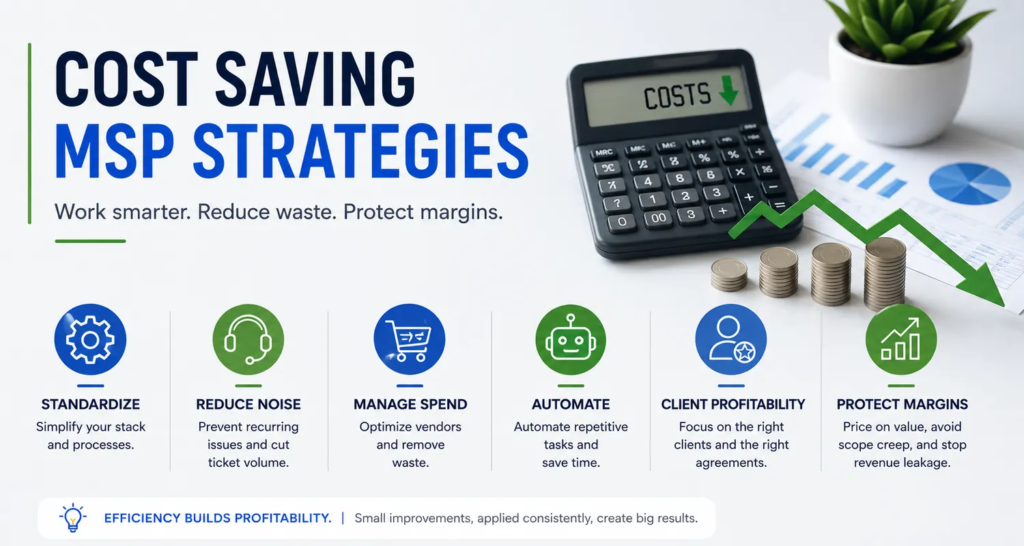
Cost Saving MSP Strategies

By MSP Insights

Running a Managed Service Provider is often a balancing act between delivering excellent technical outcomes and maintaining healthy margins. The most effective cost saving MSP strategies help MSPs control the cost-of-service delivery without compromising the quality-of-service clients receive.

Revenue can be growing while profitability barely moves. More clients bring more users, tickets, licenses, vendors, administration, and employees. Consequently, adding revenue doesn’t automatically create a better business.

Real efficiency isn’t about cutting corners or finding the cheapest technology. Instead, it focuses on reducing unnecessary complexity, eliminating repetitive work, improving commercial controls, and making every hour your team spends more productive.

Done properly, cost reduction isn’t really about spending less. It’s about wasting less.

SecuVeo was founded by Luis Navarro following more than 15 years spent building and growing a successful Managed Service Provider. As co-founder of Totality Services, Luis helped take the business from an idea and a small team to a highly profitable MSP serving more than 150 clients before the company was acquired.

One of the lessons from that journey was that profitability doesn’t simply arrive with scale. It comes from deliberate decisions about clients, technology, people, pricing, and processes.

Key Takeaways

Standardization reduces complexity. Supporting fewer technologies can reduce training requirements, improve troubleshooting, and make automation easier.

Reduce recurring noise before adding people. A growing ticket queue doesn’t always mean you need another technician. First, understand what’s generating the work.

Protect your commercial margins. Vendor costs, unbilled licenses, outdated agreements, and poorly scoped projects can quietly erode profitability.

Automate repetitive work. Use your PSA, RMM, documentation, reporting, and other platforms to reduce low-value manual administration.

Understand client profitability. Revenue alone doesn’t tell you whether an account is commercially healthy.

Retain good employees. Efficiency isn’t about squeezing more work out of people. Better systems should make good technicians more productive and reduce unnecessary frustration.

Defining Cost Saving MSP Strategies

In an MSP, cost saving is primarily about improving the efficiency of service delivery.

That can mean reducing the time required to resolve tickets, automating repetitive tasks, negotiating better vendor terms, preventing billing leakage, or standardizing client environments.

However, not every cost should be reduced.

Cutting training, cybersecurity, documentation, or service quality simply to improve short-term margins can create much larger costs later.

Therefore, the better question isn’t:

“Where can we spend less?”

It’s:

“Where are we spending money or time without creating enough value?”

That distinction matters.

Where MSP Costs Typically Hide

Some costs are obvious. Payroll, software, rent, insurance, and vendor invoices appear directly in the accounts.

Others are much harder to see.

For example:

  • Technicians repeatedly solving the same problem
  • Senior engineers handling work that could be standardized
  • Supporting unnecessary variations in client technology
  • Licenses purchased but never billed
  • Projects consistently exceeding their quoted hours
  • Account Managers manually producing reports
  • Employees searching for missing documentation
  • Clients remaining on commercially outdated agreements
  • Duplicate tools performing similar functions
  • Unnecessary administrative work between systems

Individually, these inefficiencies may appear small.

Across dozens or hundreds of clients, however, they can become significant.

Standardization: The Foundation of MSP Profitability

One of the biggest hidden costs in an MSP is unnecessary technical complexity.

Imagine supporting ten firewall vendors, several backup platforms, different endpoint-security products, multiple networking standards, and a mixture of old and new Microsoft environments.

Technicians constantly have to change context.

Documentation becomes harder. Training requirements increase. Troubleshooting takes longer, and automation becomes more difficult.

Standardization can change that.

By defining a preferred technology stack, your team develops deeper knowledge around a smaller number of platforms. As a result, common problems become easier to diagnose, processes become easier to document, and automation becomes more practical.

Build a Preferred Technology Stack

Standardization might cover areas such as:

  1. Infrastructure: Preferred networking, server, and endpoint standards.
  2. Security: Defined technologies for endpoint protection, EDR, identity, email security, backup, encryption, and other controls.
  3. Cloud: A primary cloud productivity ecosystem such as Microsoft 365.
  4. Management: Standard PSA, RMM, documentation, and remote-support tools.
  5. Client requirements: Minimum technical and security standards for managed clients.

Microsoft provides extensive technical guidance through Microsoft Learn, which can also help MSP teams develop repeatable standards around Microsoft technologies.

Of course, standardization doesn’t mean refusing every exception.

Some clients have legitimate requirements that justify different technology. However, exceptions should be conscious commercial decisions rather than something that happens by default.

Reduce Reactive Noise Before Hiring More People

When a help desk becomes busy, the instinctive response is often to hire another technician.

Sometimes that’s exactly what’s required.

However, first ask why the ticket volume is increasing.

If a significant amount of work comes from recurring problems, another employee may simply increase your capacity to repeatedly fix issues that should have been eliminated.

Root Cause Analysis can help identify those patterns.

Suppose a client contacts the service desk every Monday because the same printer stops working. Restarting a service each week may close the ticket quickly, but it doesn’t remove the underlying problem.

Replacing the problematic device or fixing its configuration may cost more today but save considerably more support time later.

Practical Ways to Reduce Ticket Noise

Categorize tickets consistently. Identify which issues create the greatest volume across your client base.

Look for repeat incidents. If the same problem keeps returning, investigate the underlying cause rather than repeatedly treating the symptom.

Automate predictable remediation. Where appropriate, use your RMM or other management tools to detect and remediate known conditions.

Improve client environments. Old hardware, unstable connectivity, unsupported software, and poor configuration can all generate unnecessary service demand.

Provide appropriate self-service. Straightforward requests can sometimes be handled through controlled automated workflows rather than technician intervention.

Importantly, the goal isn’t simply fewer tickets.

It’s fewer unnecessary tickets.

Vendor Management and Procurement

As an MSP grows, purchasing power changes.

Yet vendor arrangements often remain untouched for years.

Therefore, periodically review your major suppliers and ask:

  • Are we still on the appropriate pricing tier?
  • Are there volume discounts available?
  • Are we paying for licenses we don’t use?
  • Do several products duplicate functionality?
  • Have vendor prices increased without corresponding client price changes?
  • Are contract terms still commercially appropriate?
  • Could consolidation reduce administrative overhead?

Vendor consolidation can sometimes create efficiencies, but cheaper isn’t automatically better.

Replacing several strong products with one inferior platform simply to reduce licensing cost can damage service quality and increase support requirements.

Instead, evaluate the total operational cost.

A product that costs slightly more but generates fewer support issues, integrates properly with your systems, and requires less administration may ultimately be the less expensive option.

Use Partner Benefits Where Appropriate

Many technology vendors provide internal-use, demonstration, training, or Not-For-Resale benefits to qualifying partners.

Where those programs exist, use them appropriately.

Besides reducing some internal technology costs, using the same products internally can give your team valuable practical experience with the platforms they support for clients.

Strategic Outsourcing vs. Internal Hiring

Hiring is one of the largest investments an MSP makes.

Therefore, the decision shouldn’t simply be based on whether the help desk feels busy.

First, understand the work.

Is demand permanent or temporary? Is the work occurring during normal hours or overnight? Does it require senior technical expertise? Could automation remove part of it? Could processes be improved first?

In some situations, outsourcing can make commercial sense.

For example, an external NOC or service partner may provide overnight monitoring or defined support functions without requiring the MSP to build an entire 24/7 internal team.

However, outsourcing purely because the hourly cost looks cheaper can be a mistake.

Consider service quality, communication, security, client experience, management overhead, contractual obligations, and how closely the provider fits your operating model.

Ultimately, outsourcing should solve an operational problem, not simply move it somewhere else.

Security as an Efficiency Issue

Cybersecurity is normally discussed in terms of risk, and rightly so.

However, security also has an operational dimension for an MSP.

Poorly secured and poorly maintained client environments can create significant amounts of reactive work.

An incident may require investigation, remediation, restoration, client communication, documentation, and considerable engineering time.

Therefore, preventative security can support both risk reduction and operational efficiency.

Organizations such as the Cybersecurity and Infrastructure Security Agency (CISA) publish practical cybersecurity guidance that MSPs and their clients can use when considering appropriate security controls.

The key is to make security systematic rather than reactive.

The Commercial Reality of Security Reviews

Security Reviews are a good example of a process that can become unnecessarily expensive when handled manually.

An Account Manager or vCIO may gather information from several systems, compare previous reviews, inspect Microsoft 365 settings, check products against PSA billing data, write recommendations, prepare a report, and then manually track what the client decided.

Multiply that process across dozens of clients and the time adds up quickly.

However, eliminating the review isn’t the answer.

The review itself can be extremely valuable.

Instead, the cost saving MSP strategy is to standardize and automate as much of the repetitive work as possible while preserving the human judgment that makes the review useful.

That’s one of the reasons SecuVeo was created.

It brings Security Reviews into a structured workflow, helping MSPs use PSA and Microsoft 365 information, generate consistent reports, track recommendations, and maintain a record of client decisions.

The objective isn’t to remove the Account Manager or vCIO.

It’s to give them more time for the part that matters: talking to the client.

Make Recommendations Easier to Understand

Efficiency also applies to communication.

A recommendation that requires several meetings and repeated explanations before the client understands it consumes time for both parties.

Instead, explain technical issues in terms of business risk.

Rather than simply stating that a security control is missing, explain:

What is missing?

Why does it matter?

What do you recommend?

What does it cost?

What decision is required?

Clear communication doesn’t guarantee approval. However, it makes it easier for the client to make an informed decision.

Client Profitability and the “Efficiency Tax”

Not all revenue is equally valuable.

A client paying $2,000 per month but consistently consuming more than that in service-delivery costs clearly isn’t contributing the same value as a standardized client generating the same revenue with significantly lower support requirements.

Therefore, MSPs should periodically examine profitability at the client level.

One useful measure is Effective Hourly Rate (EHR).

At its simplest, compare the recurring service revenue associated with an account against the engineering time required to deliver that service. Depending on your model, you may also need to account for licensing, third-party services, and other direct costs.

The objective isn’t to obsess over every individual support ticket.

Instead, look for patterns.

Client Type Characteristics Possible Action
Healthy Standardized environment, manageable service demand, commercially appropriate agreement Retain, develop, and continue monitoring
Low Margin / Noisy High ticket volume, legacy technology, frequent exceptions Identify causes, modernize environment, review scope or pricing
Commercially Unsustainable Persistent losses, excessive demands, refusal to address serious underlying issues Renegotiate the relationship or consider whether the client remains a suitable fit

Importantly, don’t assume a noisy client is automatically a bad client.

The cause may be something you can fix.

Perhaps their infrastructure needs investment. Maybe the agreement was priced incorrectly. Alternatively, an internal process may be generating unnecessary work.

Understand the cause before deciding what to do.

Automate Documentation and Reporting

Good documentation saves technician time.

When information is easy to find, engineers spend less time searching for credentials, configurations, network information, vendor details, and previous resolutions.

Therefore, documentation should be treated as operational infrastructure rather than optional administration.

The same applies to reporting.

If highly paid employees spend hours every month copying information between systems and manually building client presentations, ask whether that process can be automated.

PSA integrations, RMM data, documentation platforms, Microsoft 365 integrations, and specialized reporting tools can all reduce repetitive work.

However, automation should have a clear purpose.

Automating a poor process simply allows you to perform the wrong process faster.

Employee Retention Is a Cost Saving Strategy

Replacing experienced employees is expensive.

There are recruitment costs, management time, onboarding, training, lost productivity, and the loss of knowledge accumulated during the employee’s time with the business.

Therefore, employee retention should be part of any serious discussion about operational efficiency.

That doesn’t mean keeping every employee indefinitely.

Instead, create an environment where good people can succeed.

Provide clear career progression. Invest in relevant training. Document processes properly. Give people the tools required to do their jobs, and reduce unnecessary repetitive work wherever possible.

Most importantly, don’t build a culture that celebrates avoidable heroics.

If someone repeatedly has to work late because a broken process keeps creating emergencies, fixing the process is more valuable than praising the emergency response.

Improve Project Scoping and Execution

Recurring services aren’t the only place MSPs lose margin.

Projects can look profitable when quoted and become significantly less attractive during delivery.

Scope creep is a common cause.

For example, a project estimated at 20 engineering hours that eventually requires 35 or 40 hours may generate revenue while producing disappointing profit.

Better scoping helps.

Use standardized project templates for work you perform regularly. Record assumptions. Define exclusions. Identify client responsibilities, and use lessons from completed projects to improve future estimates.

Furthermore, don’t automatically allocate your most expensive technical resource to every stage.

A well-designed process may allow junior or mid-level employees to perform defined implementation tasks while senior engineers handle architecture, escalation, and final validation.

Stop Revenue Leakage

One of the least glamorous cost saving MSP strategies may also be one of the easiest to justify commercially:

Make sure you’re billing for what you’re already providing.

One of the most practical cost saving MSP strategies is making sure you’re billing accurately for the products and services you’re already providing.

Revenue leakage can happen when:

  • Users are added but agreement quantities aren’t updated
  • SaaS licenses are purchased but not billed
  • Vendor price increases aren’t reflected in client pricing
  • Projects include unquoted additional work
  • One-off services are delivered but never invoiced
  • Client agreements don’t reflect the current environment

A few missing dollars on one account may not matter.

Repeated across many products and clients, however, leakage can become substantial.

Practical Ways to Reduce Billing Leakage

Reconcile regularly. Compare vendor quantities, PSA agreements, and actual client usage.

Automate where appropriate. Integrations can reduce manual reconciliation between vendor platforms and PSA billing.

Review new products. When your MSP adds products to its catalog, make sure billing processes are updated accordingly.

Capture engineering time. Even on fixed-price managed agreements, accurate time recording helps you understand the true cost of servicing each account.

Review agreements periodically. Client environments and service requirements change. Agreements should reflect that reality.

Cost control isn’t only about reducing expenditure.

Sometimes the biggest improvement comes from capturing revenue you’ve already earned.

Measure What Matters

Effective cost saving MSP strategies depend on understanding where the money goes and which parts of the business are creating unnecessary cost.

Therefore, build a small group of commercial and operational metrics that tell you how efficiently the company is running.

Depending on your business model, these might include:

  • Monthly Recurring Revenue
  • Gross margin
  • EBITDA
  • Client-level profitability
  • Effective Hourly Rate
  • Revenue per employee
  • Ticket volume per client
  • Reactive engineering hours
  • Client retention
  • Vendor costs
  • Project profitability
  • Billing leakage
  • Sales pipeline

No single metric tells the whole story.

For example, a client may have an excellent EHR but poor strategic fit. Another may currently generate high support demand because you’re halfway through a modernization project that should dramatically improve the account later.

Use metrics to inform judgment, not replace it.

Cost Saving MSP Strategies That Can Backfire

Not every saving is a good saving.

Some decisions improve this month’s numbers while weakening the business.

Choosing Technology Only on Price

The cheapest product isn’t necessarily the cheapest product to support.

If it generates more tickets, requires more administration, integrates poorly, or creates security concerns, the operational cost may outweigh the licensing saving.

Cutting Training

Training has a cost.

However, poorly trained employees can take longer to resolve problems, make avoidable mistakes, and escalate work unnecessarily.

Therefore, relevant training can improve efficiency rather than reduce it.

Running Too Lean

High utilization can look excellent on a spreadsheet.

But if the company has no spare capacity, sickness, holidays, a major incident, or a new client onboarding can create immediate problems.

Efficiency needs resilience.

Ignoring Client Experience

A cost-saving initiative that makes the service noticeably worse may eventually affect retention.

That’s particularly dangerous in a recurring-revenue business.

Before removing something, ask whether the client values it and whether there is a more efficient way to deliver the same outcome.

Frequently Asked Questions

What Are the Most Effective Cost Saving MSP Strategies for Small Firms?

For smaller MSPs, standardization can create particularly strong benefits because small teams have limited capacity to maintain expertise across a huge range of technologies.

Start with your technology stack, recurring ticket patterns, vendor costs, documentation, billing reconciliation, and client profitability.

Then prioritize the areas creating the most unnecessary work.

How Do I Improve MSP Profit Margins Without Raising Prices?

Reduce the cost-of-service delivery.

For example, eliminate recurring technical problems, automate repetitive work, improve documentation, standardize client environments, reduce unnecessary tools, and make sure you’re billing for everything you provide.

However, don’t rule out pricing changes altogether.

If an agreement genuinely doesn’t cover the cost of delivering the promised service, operational efficiency alone may not solve the problem.

Can Cybersecurity Be a Cost Saving Measure for an MSP?

Preventative cybersecurity can reduce the likelihood or impact of incidents that create substantial reactive work.

However, security controls shouldn’t be selected purely because they save money.

Their primary purpose is risk reduction.

From an MSP operational perspective, though, secure and well-maintained client environments can also be more predictable and easier to support.

What Is a Good Target for MSP Profitability?

There isn’t one universal profitability target that applies to every MSP.

Business model, geography, service mix, maturity, growth rate, ownership structure, and accounting treatment can all affect reported margins.

Instead of chasing a generic benchmark, understand your own economics and compare performance consistently over time.

Industry benchmarking can still be useful, but it should provide context rather than become an arbitrary target.

Should I Outsource My Help Desk to Save Money?

Possibly, but cost shouldn’t be the only consideration.

Outsourcing can work well for clearly defined functions, specialist expertise, overflow capacity, or extended-hours coverage.

However, consider quality, communication, security, management overhead, contractual requirements, and the client experience before making the decision.

What Common Mistakes Lead to Low MSP Profit Margins?

Common causes include:

  1. Supporting too many non-standard environments.
  2. Failing to address recurring technical problems.
  3. Poor project scoping.
  4. Uncontrolled vendor costs.
  5. Billing leakage.
  6. Outdated client agreements.
  7. Excessive founder or senior-engineer involvement in routine work.
  8. Manual processes that could reasonably be automated.
  9. Retaining commercially unsustainable clients without a plan to improve them.

Usually, poor profitability isn’t caused by one dramatic problem.

It’s the accumulation of many small inefficiencies.

Building a More Efficient MSP

The best cost saving MSP strategies aren’t really about becoming cheaper.

They’re about building an MSP that can deliver more value with less unnecessary effort.

Standardize where practical. Reduce recurring noise. Understand client profitability. Review vendor costs. Improve project scoping. Automate repetitive administration. Protect your team from avoidable work, and make sure the services and products you’re providing actually reach the client’s invoice.

Most importantly, don’t confuse efficiency with cost cutting.

An efficient MSP can still invest heavily in good people, strong technology, cybersecurity, client experience, and growth. The difference is that those investments are deliberate.

That was one of the lessons learned while building Totality Services over more than 15 years.

As the company grew, operational and commercial discipline became increasingly important. Revenue mattered, but so did understanding how efficiently that revenue could be delivered.

SecuVeo applies that thinking specifically to Security Reviews. Rather than relying on fragmented spreadsheets, manual evidence gathering, and inconsistent processes, it gives MSPs a repeatable way to conduct reviews, communicate recommendations, and track client decisions.

Ultimately, profitability isn’t created by one dramatic cost-saving exercise.

It’s created by hundreds of small operational decisions made well, over and over again.

MSP growth illustration showing a rising revenue chart, connected client businesses, and a security shield.

MSP Growth: 10 Strategies to Increase Revenue and Scale Profitably

By MSP Insights

MSP growth depends on winning suitable clients, retaining existing accounts, and increasing profitable recurring revenue. To scale successfully, a managed service provider also needs the people, processes, and pricing to deliver that growth without weakening service quality.

More revenue alone does not tell you whether the business is improving. A new contract can look attractive until onboarding overruns, support demand exceeds expectations, and the team spends more time managing exceptions than serving clients.

This guide explains how to build an MSP growth strategy that connects sales, client relationships, security services, operations, and profitability. It also includes the metrics to track and a practical 90-day action plan.

MSP growth lessons from building Totality Services

I co-founded Totality Services in London in 2008 and helped grow it to more than £6 million in annual revenue before its acquisition in 2025. By that point, the business had around 45 employees and served more than 150 clients.

That experience informs this guide. Sales and marketing matter, but they need to develop alongside service delivery, account management, pricing, and leadership.

Dedicated Security Reviews also became a valuable part of our client conversations. They helped clients understand their gaps and the improvements we recommended, supporting the growth of our security services.

What is MSP growth?

MSP growth means increasing the revenue, profitability, capacity, and long-term value of a managed service provider. Healthy growth makes the business more capable of serving clients while creating a stronger financial and operational foundation.

There are three main drivers of organic recurring revenue growth:

  • Acquisition: Winning new clients that fit your service model.
  • Retention: Keeping existing recurring revenue and maintaining healthy relationships.
  • Expansion: Increasing revenue within existing accounts through appropriate services, additional users, or changes in scope.

Pricing changes can also affect recurring revenue. Meanwhile, efficiency improvements can increase profitability without adding clients.

Track these drivers separately. If new sales are strong but cancellations are increasing, the priority may be retention rather than more lead generation.

1. Set an MSP growth target you can manage

Start with your current position: recurring revenue, gross profit, cash flow, service capacity, and sales pipeline. Then set a target that identifies where the additional revenue should come from.

For example, an MSP could plan to grow through a combination of new contracts, security service expansion, and improved retention. Each area needs an owner, a budget, and a delivery plan.

Use a consistent monthly recurring revenue calculation:

Ending MRR = Starting MRR + New MRR + Expansion MRR − Contraction MRR − Churned MRR

Contraction means a reduction within an account that remains a client. Churn means recurring revenue lost when an account or recurring relationship ends.

Example: calculating net MRR growth

Suppose an MSP starts the month with $100,000 in MRR. It adds $6,000 from new clients and $3,000 from existing accounts, while losing $1,000 through reductions and $2,000 through cancellations.

Ending MRR is $106,000, giving net monthly growth of $6,000, or 6%. This is an illustrative calculation, not an industry benchmark.

A signed opportunity is not automatically active MRR. Keep pipeline, won sales, active recurring services, recognized revenue, and cash collected distinct.

Action: Build a monthly revenue movement report before setting your next sales target.

2. Support MSP growth by choosing the right clients

An ideal customer profile helps your team recognize opportunities that fit your business. Define it using the characteristics of clients you serve well and can support profitably.

Consider their size, location, industry, technology environment, budget, decision-making process, and willingness to follow your standards. Also check whether you have the expertise to meet their security and compliance expectations.

During discovery, establish:

  • Why the prospect is considering a change.
  • Which business problems need attention.
  • Who approves the decision and budget.
  • Whether their environment fits your service model.
  • What remediation or onboarding work will be necessary.

A prospect can be commercially attractive while creating delivery risks. Involve operations before committing to an unusual environment or service requirement.

Action: Document your qualification criteria and use them consistently before preparing proposals.

3. Build a repeatable MSP sales and marketing process

MSP growth becomes fragile when the founder’s personal network is the only source of new business. Create a process your team can follow from first contact through onboarding.

Choose marketing channels that match your audience and available resources. Options include referrals, local search, useful industry content, partnerships, targeted outreach, and relevant events.

Start with a manageable number of channels. Then measure qualified meetings, proposals, wins, acquisition cost, and time to close. A busy marketing calendar has limited value if it produces few suitable prospects.

Make the sales process equally clear. Define discovery questions, qualification, proposal ownership, follow-up, pricing approval, and the handover to service delivery. Record why prospects decline so you can improve the offer or targeting.

For more detail, see our guide to MSP lead generation.

Action: Choose the next step for every active opportunity and assign someone to complete it.

4. Protect MSP growth through client retention

New sales need to replace lost revenue before they create net growth. Retention therefore deserves attention alongside acquisition.

Reliable support is the foundation, but clients also need to understand what your MSP does for their business. Discuss improvements, upcoming risks, unresolved issues, and future priorities.

Give each account a clear relationship owner. Maintain contact with the people who influence service satisfaction, budgets, and renewal decisions. A strong relationship with a technical contact may not reach the person approving the contract.

Watch for warning signs such as repeated complaints, missed review meetings, unresolved escalations, or declining engagement. Investigate them early rather than waiting for renewal.

Our MSP customer retention guide explores this in more detail.

Action: Review at-risk accounts regularly and agree on a specific recovery plan for each one.

5. Grow MSP recurring revenue within existing accounts

Account expansion is an important part of an MSP growth strategy. Existing clients may need additional support as their workforce, systems, and risks change. Account management should identify those needs and turn them into a clear roadmap.

An MSP may offer a substantial range of security solutions while individual clients use only some of them. However, a missing product is not automatically a security gap. Verify the requirement, existing protections, and any alternative arrangements before recommending a service.

A useful client discussion answers four questions:

  1. What is already working?
  2. What needs attention?
  3. Why does it matter to this business?
  4. What should happen next?

Turn security findings into practical recommendations

For example, a client may have backup coverage but no recent restore test for a critical application. The first recommendation may be testing and remediation rather than another product.

Elsewhere, evidence may show a need for a managed security service. Explain the coverage, responsibilities, cost, and limitations in terms the client understands.

Record whether recommendations are approved, deferred, or declined, together with an owner and follow-up date. These are decisions to capture explicitly; acknowledging a report disclaimer does not establish acceptance of every recommendation.

For a broader approach to assessing cybersecurity risk, refer to the NIST Cybersecurity Framework. It can help structure discussions about the outcomes a client needs to achieve, rather than starting with a product list.

Action: Identify relevant improvement opportunities across existing accounts and schedule focused client conversations.

6. Price agreements for profitable delivery

Profitable MSP growth depends on the quality of recurring revenue. It provides predictability, but an underpriced contract can create recurring losses. Review the economics of each agreement as well as total company revenue.

Include vendor and licensing costs, direct delivery labor, account management, onsite work, travel, and agreed exceptions. Apply a consistent cost allocation method so comparisons remain useful.

Distinguish gross margin from markup. If an agreement generates $5,000 and its allocated direct delivery costs are $3,500, gross profit is $1,500 and gross margin is 30%.

Pricing should reflect scope, delivery cost, risk, and value. When costs or requirements change, review the agreement and discuss adjustments within its contractual terms.

Package services so clients understand what they receive, what falls outside scope, and what different service levels cover. Avoid letting repeated bespoke changes undermine your delivery model.

Action: Review agreements with weak margins or unusually high support demand, then investigate the causes.

7. Scale your MSP through standardization and automation

Every additional platform creates training, documentation, support, and vendor management requirements. A defined technology stack can make delivery more consistent and support MSP growth as your client base expands.

Establish preferred approaches for endpoint management, security, backup, identity, documentation, and your PSA and RMM tools. Where exceptions are necessary, record the reason, owner, support implications, and review date.

Standardize workflows too. Onboarding, offboarding, escalations, procurement, projects, and security checks should have clear responsibilities and completion criteria.

Then automate suitable repetitive steps. For example, a workflow that saves five minutes across 1,000 monthly activities saves approximately 83 hours before allowing for maintenance, exceptions, and verification.

Use controls appropriate to the task, especially where automation changes access or client systems. Monitor results and provide a way to handle failures.

Action: Select one frequent, predictable workflow, simplify it, and measure the benefit of automating it.

8. Plan capacity before service quality deteriorates

Sustainable MSP growth requires enough delivery capacity. Connect your sales pipeline to delivery planning. A new client creates onboarding work before it settles into routine support, and projects may require different skills from service desk work.

Assess demand using ticket workload, complexity, backlog, project commitments, onboarding effort, and available skills. User counts can help, but they do not capture every difference between environments.

Include recruitment lead times and the time new employees need to become effective. Balance hiring plans against cash flow rather than assuming every opportunity will close.

As your team grows, make expectations clear. Employees need to know how to escalate problems, communicate with clients, learn the service model, and take ownership of work.

Action: Review likely starts and delivery commitments with sales and operations before agreeing to onboarding dates.

9. Remove founder bottlenecks that limit MSP growth

If the owner approves every proposal, handles every escalation, and manages every important relationship, MSP growth eventually reaches the owner’s capacity.

Identify which decisions can move to other people. Define their authority, the information they need, and when an exception should return to leadership.

For example, a service manager could own escalations within agreed limits, while account managers maintain client roadmaps and sales follow a documented pricing process.

Delegation also requires coaching and accountability. Review outcomes, support the person making decisions, and improve the process when a recurring issue appears.

Action: Choose one area that repeatedly waits for the founder and transfer ownership with clear boundaries.

10. Track MSP growth alongside profit, cash, and service

An MSP growth dashboard should show whether commercial progress is strengthening the business. Use consistent definitions and review trends rather than isolated monthly results.

Metric What it helps you understand
Active MRR The monthly equivalent of active recurring services
New and expansion MRR Revenue added through new clients and existing accounts
Contraction and churned MRR Revenue lost through reductions and cancellations
Gross margin Revenue remaining after allocated direct delivery costs
Agreement profitability Which contracts contribute profit and which need attention
Operating profit and EBITDA Business performance after operating costs, using defined adjustments
Cash flow and receivables Whether cash can support hiring, vendors, and investment
Pipeline conversion How qualified opportunities become won business
Service performance Backlog, response, resolution, repeat issues, and satisfaction
Client concentration Dependency on individual accounts
Revenue per employee A productivity indicator affected by service mix and resale revenue

EBITDA is earnings before interest, taxes, depreciation, and amortization. It is not cash flow.

Also look at patterns across metrics. Increasing revenue per employee may indicate efficiency, but growing backlog and falling satisfaction could reveal overload. Likewise, rising revenue with weak cash collection can restrict investment.

For additional guidance on bookkeeping, financial planning, and business management, see the US Small Business Administration’s business management guide. Apply the guidance relevant to your location and business model.

Action: Review the dashboard monthly and assign follow-up actions to the people responsible.

A practical 90-day MSP growth plan

Focus on the constraint that most limits progress. The following is a planning example, not a promise of results within 90 days.

Days 1–30: Establish the baseline

Review MRR movement, profitability, cash, client health, service demand, and the sales pipeline. Confirm your ideal customer profile and identify the main constraint.

Choose a small number of MSP growth priorities. Give each one an owner, a measure of success, and a review date.

Days 31–60: Put the changes into practice

Put your MSP growth strategy into practice. You might improve discovery, address weak agreements, schedule client Security Reviews, simplify onboarding, or clarify escalation ownership.

Capture results and feedback. Involve the teams delivering the changes so the plan reflects practical constraints.

Days 61–90: Review results and refine the plan

Check whether the changes improved qualified pipeline, retention, margin, delivery capacity, or another chosen measure. Investigate weak results rather than automatically increasing activity.

Use the evidence to refine your next MSP growth plan. Some actions take longer to produce revenue, so also monitor appropriate leading indicators.

How SecuVeo supports MSP growth

Your existing clients can be an important source of MSP growth. SecuVeo helps you uncover security improvement opportunities and explain them in a way clients understand, making it easier to turn recommendations into approved projects and recurring services.

It combines customizable templates, PSA Billing Evidence, and Microsoft 365 Security Evidence to reduce preparation time. Your team reviews the findings and recommendations, then delivers a professional, branded report with a plain-English executive summary.

From the review, create tickets and opportunities directly in ConnectWise PSA or HaloPSA to move recommendations into action. At the next review, show clients the improvements made and discuss their remaining priorities.

The result is a repeatable process that helps your Account Managers demonstrate value, strengthen client relationships, and grow security revenue.

Start your free SecuVeo trial and see how a structured Security Review can support your next client conversation.

Frequently asked questions about MSP growth

How do you grow an MSP business?

Start your MSP growth plan by identifying the main constraint, then address acquisition, retention, account expansion, pricing, and delivery. Measure net recurring revenue growth alongside profit, cash, and service quality.

Can an MSP grow without adding clients?

Yes. Existing accounts may expand through additional users, appropriate services, or changes in scope. Better pricing and delivery efficiency can also improve profitability. These sources of growth should be tracked separately.

How can an MSP increase recurring revenue?

Win suitable managed service contracts, retain existing revenue, and offer relevant ongoing services within current accounts. Confirm delivery costs and capacity so additional MRR contributes healthy gross profit.

What is a good MSP growth rate?

There is no universal target. An appropriate rate depends on your starting size, margins, cash, delivery capacity, and goals. Specify whether you mean total revenue, MRR, or profit growth, and over which period.

When should a growing MSP hire?

Plan recruitment around expected workload, skill gaps, onboarding commitments, and recruitment lead times. Check affordability and consider whether process improvements can remove work before adding headcount.

How can security services support MSP growth?

Security services can create recurring revenue when they address verified client needs and include a clear ongoing service. Regular reviews help explain those needs, prioritize improvements, and revisit outstanding recommendations.

Does growth automatically increase an MSP’s value?

No. Growth can strengthen a business, but its quality matters. Profitability, client concentration, retention, leadership depth, contracts, and operational risk all influence its position. A larger revenue figure alone does not establish a higher valuation.

MSP lead generation strategies for attracting qualified prospects

MSP Lead Generation

By MSP Insights

Effective MSP lead generation is not about collecting as many names and email addresses as possible. It is about creating a consistent flow of businesses that fit your MSP, have a genuine requirement for your services, and are worth investing sales time in.

That distinction matters.

Ten qualified prospects can be considerably more valuable than hundreds of poor quality leads.

For MSPs, the challenge is therefore not simply generating more leads. The objective is to attract the right organizations, start relevant conversations, build trust and create a predictable pipeline of future opportunities.

There is no single channel that achieves this.

Instead, successful MSP lead generation usually combines referrals, organic search, useful content, strategic partnerships, networking and carefully targeted outreach.

Key Takeaways

A strong MSP lead generation strategy should focus on several principles:

  • Define your Ideal Client Profile first. Marketing becomes easier when you know exactly which businesses you want to attract.
  • Prioritize lead quality over volume. A smaller number of well matched prospects is often more valuable than a large database of unsuitable contacts.
  • Build multiple lead sources. Referrals are valuable, but relying entirely on them makes growth unpredictable.
  • Create useful content. Answer the questions prospective clients are already asking.
  • Use targeted outreach rather than mass prospecting. Relevance matters more than activity.
  • Build strategic partnerships. Accountants, consultants, software providers and other professional firms can introduce valuable prospects.
  • Give prospects a reason to engage. Assessments, workshops and useful resources can create stronger conversations than generic sales pitches.
  • Measure what converts. Track which channels generate opportunities and ultimately recurring revenue.

Most importantly, lead generation needs consistency.

What Is MSP Lead Generation?

MSP lead generation is the process of attracting and identifying businesses that could become suitable clients for a Managed Service Provider.

A lead might come from:

  • Google
  • A client referral
  • LinkedIn
  • A networking event
  • A strategic partner
  • An industry event
  • A webinar
  • A piece of content
  • Email outreach
  • Paid advertising
  • A website enquiry

However, appearing in your CRM does not automatically make someone a good prospect.

The business also needs some degree of fit.

That could involve company size, location, industry, technology requirements, security needs, budget, growth plans or dissatisfaction with its current IT arrangements.

Therefore, the first stage of lead generation actually begins before marketing.

It begins by deciding who you want to attract.

Start With Your Ideal Client Profile

Trying to market an MSP to every business usually produces generic messaging.

“We provide reliable IT support.”

“We offer 24/7 monitoring.”

“We’re your trusted technology partner.”

Thousands of MSPs can say the same thing.

Instead, define an Ideal Client Profile, or ICP.

For example, an MSP might target:

  • Businesses with 30 to 250 employees
  • Professional services firms
  • Organizations within a particular geographic area
  • Microsoft 365 environments
  • Companies without an internal IT department
  • Businesses with specific compliance requirements
  • Organizations that value cybersecurity
  • Companies experiencing rapid growth

The criteria should reflect your own strengths and operating model.

Once you know the type of client you want, your MSP lead generation becomes more focused.

Content can address their problems.

Partnerships can target organizations serving the same market.

SEO can focus on relevant searches.

Outreach can become specific.

Most importantly, your team wastes less time pursuing companies that were never likely to become good clients.

Lead Quality Matters More Than Lead Volume

Marketing dashboards encourage businesses to celebrate volume.

Website traffic increases.

Form submissions start to rise.

New contacts enter the pipeline.

Ultimately, more leads are generated.

However, an MSP cannot pay its employees with website enquiries.

Ultimately, lead generation needs to produce commercially viable opportunities.

Consider two marketing campaigns.

Campaign A generates 100 leads, but almost none match the MSP’s target profile.

A second campaign generates just 15 leads, several of which become serious sales opportunities.

Clearly, the second approach delivers more value.

Therefore, MSPs should look beyond headline lead numbers.

Ask:

Did the prospect fit our target market?

Did we speak with a decision maker?

Was there a genuine requirement?

Did the lead become a qualified opportunity?

Was a proposal eventually presented?

Has the opportunity converted into recurring revenue?

That is how you determine whether a lead generation channel actually works.

Build More Than One Lead Source

Many MSPs grow initially through referrals.

A client recommends the MSP to another business owner.

That owner introduces someone else.

The founder has contacts from a previous role.

This can work extremely well.

The problem is predictability.

You cannot control when somebody decides to recommend your business.

Therefore, a mature MSP lead generation strategy should ideally create several routes into the sales pipeline.

These might include:

Lead Source Primary Strength
Client referrals Existing trust
Organic SEO Captures active search demand
Educational content Builds authority
Strategic partnerships Trusted introductions
Networking Develops local relationships
LinkedIn Access to specific decision makers
Targeted email Reaches defined prospects
Events and webinars Creates engagement
Paid search Captures commercial intent

You do not need to use every channel.

In fact, trying to do everything at once can dilute effort.

Choose a small number of channels, execute them consistently and measure the results.

Referrals Remain a Powerful Lead Source

Referrals can produce excellent MSP leads because trust already exists between the prospect and the person making the introduction.

However, many MSPs treat referrals entirely as luck.

A better approach is to make asking for introductions part of normal account management.

The timing matters.

Do not ask an unhappy client for referrals.

Instead, look for natural moments when the relationship is strong.

Perhaps you have successfully completed a major project.

Maybe the client has just given excellent feedback.

A strategic review might have demonstrated significant progress.

At that point, a simple question can work:

“Do you know another business that might benefit from the type of support we’re providing you?”

Keep it natural.

Clients should never feel that every positive interaction leads immediately to a sales request.

Build Strategic Referral Partnerships

Clients are not the only source of introductions.

Other professional organizations often work with exactly the businesses an MSP wants to reach.

Potential partners include:

  • Accountancy firms
  • Cybersecurity consultants
  • Compliance specialists
  • Business consultants
  • Telecoms providers
  • Software companies
  • Commercial property firms
  • Insurance brokers
  • Legal firms

The best partnerships create value in both directions.

For example, an accountant might encounter a client struggling with cybersecurity or IT infrastructure.

Meanwhile, the MSP may encounter clients needing specialist financial advice.

Both organizations can make appropriate introductions.

However, relationships need to be genuine.

Sending one email saying “Let’s refer business to each other” rarely creates a meaningful partnership.

Get to know the organization.

Understand its clients.

Identify where your services complement each other.

Then build the relationship over time.

Organic Search and MSP Lead Generation

SEO can become an important long term source of MSP lead generation because it captures people already searching for information or services.

However, search intent matters.

Someone searching:

“IT support company Manchester”

may be considerably closer to choosing an MSP than someone searching:

“What is Microsoft 365?”

Both visitors have value, but they are at different stages.

An MSP website should therefore target different types of searches.

Commercial pages might cover:

  • Managed IT services
  • Cybersecurity services
  • Microsoft 365 support
  • IT support
  • Cloud services
  • Industry specific IT services

Educational articles can answer questions around:

  • Cybersecurity
  • IT budgeting
  • Microsoft 365
  • Compliance
  • Business continuity
  • IT strategy
  • Selecting an MSP
  • Switching IT providers

Over time, useful content can build visibility and authority.

For guidance on creating genuinely useful, people first website content, Google’s Search Essentials provide a useful starting point.

Write Content for Prospects, Not Other IT People

A common mistake is producing content that demonstrates technical knowledge but does little for the intended reader.

Your prospective client may not care how sophisticated your technical stack is.

They care about questions such as:

How do I reduce cyber risk?

Why is our IT spending increasing?

How can employees work securely from anywhere?

What happens if our systems go offline?

Do we have adequate backups?

How do I know whether my current IT provider is doing a good job?

These questions create excellent content topics because they relate technology to business outcomes.

Technical depth still has a place.

However, the content should remain understandable to the person making the buying decision.

Use Content to Build Trust Before the Sales Conversation

Good content does more than generate website traffic.

It allows prospects to experience your thinking before they speak with you.

Imagine a business owner considering changing MSP.

They discover several useful articles on your website.

One explains how to assess an IT provider.

Another covers common cybersecurity gaps.

A third explains what should happen during an MSP onboarding.

By the time that person contacts you, some trust already exists.

They have seen how you communicate.

Your approach is already familiar to them.

Some prospects may even have shared your content internally.

This is one reason content can support MSP lead generation beyond simply generating search traffic.

It helps prospects qualify the MSP before the first conversation.

Targeted Outreach Can Still Create Opportunities

Outbound prospecting does not need to mean calling hundreds of strangers with a generic script.

In fact, mass cold calling is unlikely to be the best use of time for many MSPs.

The problem is lack of context.

The recipient does not know you, may not need an MSP and probably has no reason to speak with you at that moment.

A more targeted approach can work differently.

Identify a small number of organizations that genuinely fit your Ideal Client Profile.

Research them.

Understand why there could be a reason for a conversation.

Then make the outreach relevant.

For example, the business may:

  • Be opening another office
  • Be recruiting rapidly
  • Operate in a regulated sector
  • Have recently experienced significant growth
  • Be undergoing a merger
  • Have a clear cybersecurity requirement

The objective is not to manufacture a problem.

It is to identify a legitimate reason why your expertise may be relevant.

That creates a much stronger starting point than a generic cold call.

Personalization Needs to Be Genuine

Adding somebody’s first name to an automated email is not meaningful personalization.

Real personalization demonstrates relevance.

For example:

“We specialize in supporting architecture practices with multiple offices, so I noticed your firm recently opened a second location.”

That gives the recipient context.

Compare it with:

“We help businesses like yours reduce IT costs and improve cybersecurity. Do you have 15 minutes next week?”

The second message could have been sent to 10,000 companies.

Prospects know the difference.

Therefore, targeted outreach should prioritize quality over quantity.

Give Prospects a Reason to Engage

“Would you like to discuss your IT requirements?” is not particularly compelling.

A prospect may not believe they have any IT requirements.

Instead, give them something useful to engage with.

That might include:

  • A cybersecurity assessment
  • A technology planning session
  • A Microsoft 365 review
  • A cloud readiness assessment
  • A compliance workshop
  • An IT cost review
  • An infrastructure assessment
  • An educational webinar

The offer should relate directly to the type of client you want to attract.

More importantly, it should provide genuine value even if the prospect does not immediately become a client.

That builds trust.

Security Reviews Can Start Valuable Conversations

Security can provide a natural entry point for a prospect conversation because many businesses struggle to understand their current security position.

A structured Security Review can answer practical questions.

Which protections are already in place?

Where are the gaps?

Which risks matter most?

What should the business prioritize?

What can wait?

That is more useful than simply telling the prospect they need another security product.

A review can also demonstrate how the MSP thinks.

Instead of leading immediately with products and pricing, the MSP begins by understanding the environment and explaining the findings.

If the prospect sees value in the process, a wider managed services conversation may follow naturally.

Do Not Turn Assessments Into Fake Sales Tactics

There is an important distinction between a genuine assessment and a disguised sales pitch.

If every assessment magically concludes that the prospect needs every service you sell, credibility disappears quickly.

Recommendations need to reflect what you actually find.

Some areas may already be strong.

Say so.

Some improvements may be low priority.

Explain that too.

Others may require urgent attention.

Make the reason clear.

This approach creates credibility because the prospect can see that the assessment exists to inform a decision rather than simply justify a predetermined proposal.

Networking Still Has a Place

Digital marketing has not eliminated human relationships.

Local networking, industry associations and business events can still generate excellent opportunities for MSPs.

However, attending an event and handing out 50 business cards is not a strategy.

The objective is to build relationships.

Speak with fewer people.

Learn about their businesses.

Ask good questions.

Follow up afterward.

Then stay in contact where there is a genuine reason to do so.

Networking often works slowly.

Someone you meet today may not need a new MSP for another two years.

However, if you maintain the relationship, you may be the person they contact when that situation changes.

Industry Specialization Can Make Lead Generation Easier

Some MSPs benefit from focusing on particular industries.

For example:

  • Legal
  • Financial services
  • Healthcare
  • Construction
  • Manufacturing
  • Professional services
  • Education
  • Nonprofits

Specialization can improve MSP lead generation because your marketing becomes more specific.

Instead of saying:

“We provide IT support for businesses.”

you can communicate:

“We help architecture practices manage secure collaboration across multiple offices.”

That immediately tells a prospect whether the MSP understands their environment.

However, vertical specialization is not mandatory.

A strong geographic or company size specialization can work equally well.

The important point is differentiation.

Prospects need a reason to believe you are particularly suited to helping businesses like theirs.

Use LinkedIn as a Relationship Channel

LinkedIn gives MSPs direct access to business decision makers.

However, it works poorly when treated as an automated spam platform.

Connecting with somebody and immediately sending a lengthy sales pitch rarely creates a strong first impression.

Instead, use LinkedIn to build familiarity.

Share useful insights.

Comment intelligently on relevant discussions.

Connect with people in your target market.

Publish content that demonstrates your expertise.

Then, when a genuine reason for conversation appears, the outreach feels less random.

LinkedIn can also support other channels.

A prospect might first see your content on Google, later notice one of your LinkedIn posts and eventually meet you at an event.

Lead generation increasingly happens across multiple touchpoints.

Paid Advertising Can Work, but Watch the Economics

Google Ads and other paid channels can generate leads quickly.

However, they can also consume significant marketing budget.

The important question is not simply:

How much does each click cost?

Instead, follow the economics through the entire funnel.

For example:

Advertising spend → Leads → Qualified opportunities → Proposals → New clients → Recurring revenue

A campaign producing inexpensive leads can still be poor if none become clients.

Conversely, an expensive lead source can work extremely well if it consistently generates high value contracts.

Therefore, measure paid advertising against commercial outcomes rather than vanity metrics.

Build Landing Pages Around Specific Intent

Sending every campaign to the homepage creates unnecessary friction.

If someone clicks an advert for cybersecurity services, take them to a cybersecurity page.

If they searched for IT support for law firms, show them content relevant to law firms.

The page should answer several questions quickly:

Do you understand businesses like mine?

What problem do you solve?

Why should I trust you?

What happens next?

Avoid unnecessary jargon.

Include evidence where appropriate.

Then provide a clear next step.

That might be booking a consultation, requesting an assessment or speaking with the team.

Lead Magnets Need to Be Worth Downloading

Many businesses create downloadable guides simply because marketing advice says they need a lead magnet.

A weak PDF does little for credibility.

Instead, create something genuinely useful.

Examples might include:

  • Cybersecurity checklist for SMEs
  • Guide to changing MSP
  • Microsoft 365 security checklist
  • IT budgeting template
  • Cyber insurance readiness checklist
  • Business continuity checklist
  • Technology planning worksheet

The resource should solve a small but real problem.

If the prospect finds it useful, they are more likely to engage with your future content.

Nurture Leads That Are Not Ready Yet

Timing plays a major role in MSP sales.

A company may be perfectly suited to your services but still have eighteen months remaining on its existing contract.

That does not make it a bad lead.

It makes it an early lead.

Therefore, your CRM should help distinguish between:

  • New leads
  • Qualified prospects
  • Active opportunities
  • Future opportunities
  • Lost opportunities

Keep appropriate prospects engaged.

Useful articles, occasional insights, event invitations and relevant updates can maintain the relationship without constantly asking for a meeting.

Then, when the buying window opens, your MSP is already familiar.

Create a Consistent Follow Up Process

Many opportunities disappear because nobody follows up properly.

The first conversation happens.

A proposal gets sent.

Then everyone becomes busy.

A structured sales process should define what happens next.

For example:

  • Initial enquiry
  • Qualification
  • Discovery
  • Assessment
  • Proposal
  • Follow up
  • Decision
  • Handover

Each stage should have an owner and a clear next action.

This is where a CRM becomes valuable.

It helps prevent genuine opportunities from disappearing into inboxes, spreadsheets or someone’s memory.

Measure MSP Lead Generation Properly

You cannot improve lead generation if you do not know what produces results.

Useful metrics include:

Leads by Source

Where are prospects coming from?

Qualified Lead Rate

How many leads actually fit your target profile?

Lead to Opportunity Rate

How many qualified leads become genuine sales opportunities?

Opportunity to Client Rate

How many opportunities become clients?

Cost Per Lead

How much marketing spend produces each lead?

Customer Acquisition Cost

How much does it cost to acquire a new client?

Sales Cycle

How long does it take from first meaningful interaction to signed agreement?

Contract Value

What is the commercial value of clients generated by each channel?

These measures allow MSPs to compare channels properly.

Attribution Will Never Be Perfect

Be careful when deciding which channel “generated” a client.

A prospect may:

  1. Discover an article through Google.
  2. Follow the company on LinkedIn.
  3. Attend a webinar six months later.
  4. Receive a recommendation from an existing client.
  5. Finally submit a website enquiry.

Which channel deserves the credit?

All of them influenced the journey.

Therefore, attribution data is useful, but it should not create false certainty.

Ask new clients how they discovered you and what influenced their decision.

Their answer often provides context that analytics cannot.

Common MSP Lead Generation Mistakes

Relying Entirely on Referrals

Referrals are excellent, but they are difficult to predict.

Build additional channels around them.

Targeting Everybody

Broad targeting usually creates generic marketing.

Define who you want.

Buying Huge Contact Lists

A spreadsheet containing thousands of email addresses is not a sales pipeline.

Quality and relevance matter more.

Overusing Cold Calling

Calling large numbers of businesses with no context can consume enormous amounts of time for limited return.

Use research and relevance to create warmer conversations instead.

Talking Too Much About Technology

Prospects care about business outcomes.

Translate technical capabilities into benefits they understand.

Giving Up Too Quickly

SEO, partnerships, networking and content often take time.

Consistency matters.

Measuring Leads Instead of Revenue

A marketing campaign should ultimately contribute to qualified opportunities and clients.

Do not optimize purely for form submissions.

MSP Lead Generation Versus Getting MSP Clients

These subjects are related, but they are not the same.

MSP lead generation focuses on creating the pipeline.

It answers:

Where do suitable prospects come from?

How do we attract suitable prospects?

What creates the initial engagement?

Which activities maintain a consistent flow of opportunities?

Getting MSP clients is broader.

It includes what happens after the lead exists: discovery, sales conversations, proposals, objection handling, differentiation and ultimately closing the opportunity.

We’ve covered that wider process separately in How MSPs Get Clients.

Keeping the distinction clear also helps MSPs identify where their actual problem exists.

If you have almost no prospects, you have a lead generation problem.

If you have plenty of qualified opportunities but very few become clients, you probably have a sales conversion problem.

Those require different solutions.

MSP Lead Generation and Overall Growth

Lead generation is also only one component of growth.

An MSP can generate plenty of new business while losing existing clients or damaging profitability.

Therefore, acquisition needs to sit alongside retention, expansion, operational capacity and financial discipline.

Our MSP Growth guide looks at the wider challenge of scaling the business.

For lead generation specifically, the objective is narrower:

Create a reliable flow of suitable organizations entering the sales pipeline.

Once that works consistently, the rest of the sales process has something to work with.

Experience From Building an MSP Pipeline

SecuVeo was founded by Luis Navarro after more than 15 years building the London based MSP Totality Services.

The business grew from startup stage to serving more than 150 clients before being acquired.

One lesson from that experience was the importance of building trust before expecting businesses to change IT provider.

Prospects rarely change MSP simply because somebody contacts them at the perfect moment.

Relationships develop.

Circumstances change.

Existing contracts expire.

Service problems emerge.

Security requirements evolve.

Therefore, the job of lead generation is partly to make sure your MSP is visible and credible when that buying window eventually opens.

That experience also influenced the development of SecuVeo, particularly around using structured Security Reviews to make technical risks easier for business decision makers to understand.

How SecuVeo Can Support Prospect Conversations

SecuVeo is not a lead generation platform.

However, once an MSP has started a conversation with a suitable prospect, a structured Security Review can provide a useful way to assess and communicate their current security position.

SecuVeo helps MSPs standardize that process.

The MSP can:

  • Assess relevant security areas
  • Identify gaps
  • Explain recommendations clearly
  • Present findings consistently
  • Record decisions
  • Build a structured improvement roadmap

This can help move the conversation away from generic claims about being “proactive” or providing “great service.”

Instead, the MSP can demonstrate how it approaches security and client communication.

The prospect gets something tangible from the process, while the MSP gets an opportunity to demonstrate expertise.

Frequently Asked Questions About MSP Lead Generation

What is MSP Lead Generation?

MSP lead generation is the process of attracting and identifying businesses that could become suitable clients for a Managed Service Provider.

It includes channels such as referrals, SEO, content, partnerships, networking, targeted outreach and paid advertising.

What is the Best Lead Generation Strategy for MSPs?

There is no single best strategy for every MSP.

The right mix depends on target market, geography, budget, expertise and growth objectives.

However, combining referrals with one or two predictable marketing channels can reduce reliance on a single source.

Do Referrals Work for MSP Lead Generation?

Yes.

Referrals can generate strong opportunities because the prospect receives an introduction from somebody they already trust.

However, MSPs should avoid relying entirely on referrals because their timing can be unpredictable.

Does SEO Work for MSPs?

SEO can work well when an MSP targets searches relevant to its services and prospective clients.

However, organic visibility usually takes time to develop.

Useful service pages, local relevance and genuinely helpful content can all contribute to an MSP’s search presence.

Is Cold Calling Good for MSP Lead Generation?

For many MSPs, high volume cold calling is unlikely to be the strongest lead generation channel.

Decision makers receive significant unsolicited outreach, and contacting businesses with no context often produces poor conversations.

Targeted outreach is generally more useful.

Research the organization, identify why your services could be relevant and approach the prospect with a specific reason for starting a conversation.

Should MSPs Buy Lead Lists?

Buying a large generic contact database rarely solves the underlying lead generation problem.

A smaller, carefully researched list of businesses matching your Ideal Client Profile is generally more useful than thousands of unrelated contacts.

Should an MSP Outsource Lead Generation?

It can make sense to outsource specific activities such as paid search, SEO or content production.

However, the MSP should still understand its Ideal Client Profile, positioning, qualification criteria and sales process.

Outsourcing activity without those foundations can simply generate more poor-quality leads.

How Much Should an MSP Spend on Lead Generation?

There is no universal figure.

Budget should reflect growth objectives, average client value, sales capacity and the economics of each channel.

Track Customer Acquisition Cost and the value of clients produced rather than choosing a marketing budget based on an arbitrary industry percentage.

How Long Does MSP Lead Generation Take?

It depends on the channel.

Referrals or existing relationships can create opportunities quickly.

SEO, content and strategic partnerships usually require longer term consistency.

Rather than expecting every channel to produce immediate results, MSPs should build a balanced pipeline of short and long term activities.

What Should MSPs Measure?

At minimum, track lead source, qualified leads, opportunities, proposals, new clients, Customer Acquisition Cost and contract value.

This helps identify which channels create actual commercial results rather than simply generating activity.

Building a Predictable MSP Pipeline

Ultimately, successful MSP lead generation comes down to consistency and relevance.

Know the type of client you want.

Understand the problems they care about.

Create useful content.

Build referral relationships.

Develop strategic partnerships.

Use targeted outreach where appropriate.

Give prospects a reason to engage.

Follow up properly.

Measure what becomes revenue.

Then keep doing what works.

The objective is not to generate the largest possible database of contacts.

It is to create a predictable flow of suitable businesses entering your sales pipeline.

When an MSP achieves that, new business becomes less dependent on luck, individual referrals or sudden bursts of marketing activity.

And that creates a much stronger foundation for sustainable growth.

MSP advice for building a profitable and scalable managed services business

MSP Advice

By MSP Insights

Building a successful Managed Service Provider is about much more than technical expertise. If you are looking for MSP Advice, you will find the commercial challenges even greater as an MSP grows: winning the right clients, maintaining healthy margins, standardising service delivery, retaining customers, developing your team, and building a business that can scale without depending on its founders.

The most useful MSP advice therefore isn’t about the latest tool, certification, or cybersecurity acronym. It’s about building a strong, profitable service business that consistently delivers value to its clients.

SecuVeo was founded by Luis Navarro following more than 15 years spent building and growing a successful MSP. As co-founder of Totality Services, Luis helped take the business from an idea and a small team to a highly profitable MSP serving more than 150 clients, with operations in London and Johannesburg. The business was ultimately acquired, providing firsthand experience of the entire MSP journey from startup and growth through to exit.

This guide shares practical lessons from that experience, covering MSP growth, profitability, standardization, sales, client relationships, Security Reviews, recurring revenue, and ultimately building a more valuable business.

Key Takeaways

Standardization enables scalability. Supporting a different technology stack and process for every client creates complexity and increases the cost of service delivery. Greater consistency can make an MSP easier to operate and scale.

Think commercially about security. Clients rarely want to buy another security product simply because the technology is impressive. They want to understand the business risk it addresses and why acting matters.

Profit matters more than revenue alone. A large MSP isn’t necessarily a valuable MSP. Recurring revenue, margins, client quality, operational efficiency, and the ability to operate without excessive founder dependency all matter.

Client reviews should create accountability. Security Reviews should help clients understand risks, make informed decisions, and provide a record of recommendations and outcomes.

Learn from other MSPs. Peer groups, coaches, industry communities, and experienced operators can provide perspective that is difficult to gain when you’re immersed in the day-to-day operation of your own business.

The Foundation of Practical MSP Advice

During the early stages of building an MSP, saying “yes” to almost everything can help generate momentum.

You support the technology the client already has. Smaller customers come on board, unusual problems need solving, and the founders get involved in almost everything because that’s what is required to build the business.

But what works at 10 clients can become a major problem at 50 or 100.

Every exception introduces complexity. Supporting additional products requires additional knowledge, while bespoke processes make it harder to train people and deliver a consistent service.

At some point, growth requires structure.

That means defining the type of client you want, standardizing your technology stack, documenting processes, understanding the economics of individual accounts, and creating clear responsibilities throughout the business.

This is where MSP owners increasingly need to think like business leaders rather than simply technology providers.

Focus Area The Technical Trap The Commercial Reality
Security Focusing on patches, firewalls, and EDR alerts Protecting the client’s reputation, data, and ability to operate
Sales Explaining how the technology works Explaining the business outcome the technology delivers
Operations Adding technicians to handle increasing ticket volumes Standardizing environments and processes to improve efficiency
Strategy Trying to stay ahead of every technical trend Building a predictable, profitable, and scalable business

Understand the Economics of Your MSP

Revenue is important, but revenue without sufficient margin isn’t sustainable growth.

MSP owners should understand metrics such as:

  • Monthly Recurring Revenue (MRR)
  • Gross margin
  • EBITDA
  • Cost of Goods Sold (COGS)
  • Effective Hourly Rate (EHR)
  • Revenue per employee
  • Client acquisition cost
  • Client retention and churn
  • Revenue concentration among major clients

The precise metrics you prioritize will depend on your business model, but the underlying principle is simple:

Know which clients, services, and activities actually make your MSP money.

A client generating significant monthly revenue can still be unattractive if they consume disproportionate support resources.

Likewise, a rapidly growing MSP can find itself under financial pressure if service delivery costs rise as quickly as revenue.

Good growth should improve the business, not simply make it bigger.

Escaping the Owner’s Trap

Many MSPs begin with founders who are deeply involved in service delivery.

That can be a strength initially. Clients receive excellent attention and difficult problems get resolved quickly.

Eventually, however, it can become a constraint.

If every difficult technical problem, important client conversation, sales opportunity, or operational decision requires the founder, the business is limited by that person’s capacity.

Scaling requires transferring knowledge and responsibility into the organization.

Document processes. Create clear escalation paths. Give employees ownership. Develop managers. Automate repetitive activities where appropriate.

The objective isn’t for the founder to become disconnected from the business. It’s to ensure the company doesn’t stop functioning effectively whenever the founder isn’t available.

When MSP Coaching Can Help

There are points in the MSP journey where an experienced outside perspective can be extremely valuable.

MSP coaching can help owners identify operational bottlenecks, improve sales processes, strengthen management structures, analyze financial performance, and establish accountability around strategic objectives.

A good coach shouldn’t tell you how to fix a server. They should help you build a business where the founder doesn’t need to fix it.

The same principle applies to sales, account management, finance, and operations.

The Commercial Side of Cybersecurity

One of the biggest opportunities for modern MSPs is cybersecurity.

It’s also an area where technical businesses frequently struggle to communicate effectively.

A technical team may identify a genuine security weakness and recommend the correct solution. But if the client doesn’t understand the risk, the recommendation can easily become another proposal sitting in an inbox.

Imagine telling a client:

“We recommend implementing MFA because of the risk of credential-based attacks.”

That’s technically reasonable.

But compare it with:

“If an employee’s password is compromised, an additional identity check can help prevent an attacker from using that password to access systems such as email, company files, or financial information.”

The second explanation gives the client context.

The technology hasn’t changed. The communication has.

Translate Technology Into Business Risk

Clients don’t need every technical detail.

They need enough information to make an informed business decision.

A useful security conversation should help them understand:

  • What is the risk?
  • Why does it matter to their business?
  • What are you recommending?
  • What could happen if they decide not to proceed?
  • What does the recommended improvement cost?

When the client understands those points, the conversation becomes a business decision rather than a technical lecture.

That’s an important distinction.

The role of an MSP isn’t necessarily to make every decision for the client. It’s to provide clear professional recommendations and give the client the information required to make an informed choice.

Make Security Reviews Part of Account Management

Security Reviews shouldn’t be an occasional exercise performed only when something goes wrong.

They can form a structured part of the ongoing relationship between an MSP and its clients.

A good Security Review can achieve three things:

1. Risk Management

Identify gaps in the client’s security posture and explain what they mean.

2. Value Demonstration

Show clients the work being performed and the security controls already protecting their organization.

3. Commercial Opportunity

Identify legitimate improvements that may require additional projects, products, or recurring services.

The third point matters.

Generating additional revenue from a Security Review isn’t about manufacturing problems or frightening clients into purchasing unnecessary technology.

It’s about identifying genuine risks, clearly communicating them, and allowing the client to decide whether to address them.

Done properly, that’s good for the client and good for the MSP.

Create Accountability Around Security Decisions

There’s another benefit to structured Security Reviews: accountability.

If an MSP recommends an important security improvement and the client declines it, that decision should be recorded.

The objective isn’t to create an adversarial relationship. It’s to make sure both parties understand what was recommended and what was decided.

A clear history of recommendations and client decisions can also make future reviews considerably more useful.

Instead of starting again every quarter or year, the MSP can show:

  • What was identified previously
  • What the client approved
  • What was declined
  • What has subsequently changed
  • How the client’s overall security posture has improved

This is one of the principles behind SecuVeo. Security Reviews become more useful when they’re structured, understandable, repeatable, and tied to clear client decisions.

Standardization Is a Major Driver of MSP Scalability

Profitability can disappear quickly when an MSP supports highly inconsistent client environments.

One client has one firewall vendor. Another uses something completely different. A third has an aging server that nobody wants to replace. Another insists on retaining a security product your technicians rarely use.

Every exception has a cost.

Technicians require more knowledge. Troubleshooting takes longer. Documentation becomes more complicated. Automation becomes harder. Procurement becomes fragmented.

Standardization helps reduce that complexity.

Define Your Preferred Technology Stack

A growing MSP should know what a well-configured client environment looks like.

That doesn’t necessarily mean forcing every customer into an identical configuration regardless of their requirements.

It means establishing preferred technologies and standards wherever practical.

For example:

  • Endpoint protection
  • Endpoint Detection and Response
  • Backup
  • Email security
  • Identity protection
  • DNS or web filtering
  • Microsoft 365 configuration
  • Networking
  • Monitoring and management
  • Documentation

The more consistently your team works with the same technologies, the more expertise it can develop around them.

That can lead to faster resolution, better automation, more effective training, and lower service-delivery costs.

Know When to Say No

One of the hardest transitions for a growing MSP is learning that not every prospect is a good prospect.

A potential client who refuses to address major technical debt, won’t adopt reasonable standards, constantly negotiates on price, and expects unlimited flexibility may generate revenue while simultaneously damaging profitability and employee morale.

Growth becomes much easier when you understand your ideal client profile.

Sometimes the commercially correct answer is no.

Learn From Other MSP Owners

Running an MSP can be surprisingly isolating.

Your employees don’t necessarily see the financial and strategic pressures of ownership. Your clients certainly don’t. And your friends outside the industry may have little understanding of the challenges involved.

This is why peer groups and MSP communities can be valuable.

Peer Advisory Groups

A strong peer advisory group gives MSP owners an opportunity to compare their businesses with organizations facing similar challenges.

Useful discussions can include:

  • Financial benchmarking
  • Compensation structures
  • Sales performance
  • Technology stacks
  • Vendor experiences
  • Employee retention
  • Pricing
  • Operational efficiency
  • Acquisitions
  • Exit planning

Perhaps most importantly, peer groups provide accountability.

It’s easy to identify a problem in your own business and then spend another six months doing nothing about it because client issues continually take priority.

A good peer group will ask whether you actually made the change.

Build a Predictable Sales Engine

Many MSPs grow initially through referrals.

That’s a great way to acquire clients. A recommendation from an existing customer carries enormous credibility.

But referrals aren’t entirely predictable.

An MSP that wants sustained growth should eventually build a repeatable sales and marketing process rather than waiting for the phone to ring.

That may include:

  • A clearly defined ideal client profile
  • Consistent lead generation
  • Referral programs
  • Search marketing
  • Content marketing
  • Partnerships
  • Outbound prospecting
  • Structured discovery
  • Proposal processes
  • Pipeline management
  • Defined follow-up

The exact mix will vary enormously between MSPs.

What’s important is that sales becomes a process rather than an event.

Sell the Why Before the What

One lesson from building Totality Services was that great technology alone isn’t enough.

Clients need to understand why something matters before they’re likely to invest in it.

That applies to managed services generally, but it’s especially important in cybersecurity.

The technical team may know exactly why a product is required. The client may simply see another monthly charge.

Good commercial communication closes that gap.

You need to sell the why before expecting the client to buy the what.

Focus on Client Retention

Winning a new managed-services client can require months of marketing, sales meetings, proposals, negotiation, onboarding, and technical work.

Losing an established client can undo that work remarkably quickly.

Retention therefore deserves as much attention as acquisition.

The strongest MSP relationships tend to move beyond ticket resolution.

The MSP understands the client’s business, knows its priorities, provides strategic guidance, identifies emerging risks, and demonstrates progress over time.

That is much harder for a competitor to replace than basic IT support.

Make Client Meetings Strategic

Quarterly Business Reviews (QBRs) and other strategic client meetings shouldn’t become presentations filled with ticket counts and uptime statistics.

Those metrics can have value, but the conversation should go further.

What is changing in the client’s business?

Are they hiring?

Opening another office?

Moving systems to the cloud?

Changing compliance requirements?

Planning acquisitions?

Trying to reduce costs?

What security risks need attention?

What technology investments should be included in next year’s budget?

Those are business conversations.

The more your MSP can participate in them, the more valuable the relationship becomes.

Build a Sellable MSP Even If You Don’t Plan to Sell

One of the best pieces of MSP advice is to build your company as though somebody might want to buy it one day, even if you currently have no intention of selling.

A sellable business is generally a well-run business.

Potential acquirers want to understand whether earnings are sustainable and whether the company can continue performing after the founders leave.

Areas they may examine include:

Recurring Revenue

Predictable contractual revenue can be more attractive than a business heavily dependent on irregular project income.

Profitability

Revenue without sufficient profit isn’t particularly compelling.

Client Concentration

Heavy dependence on one or two major customers can increase risk.

Contracts

Clear, appropriate customer agreements can make revenue more predictable and reduce uncertainty.

Standardization

A standardized client base can be easier to operate and integrate than dozens of completely different environments.

Management

A business that operates through a capable management team is less dependent on its founders.

Processes and Documentation

Documented systems make the company easier to understand, manage, and ultimately transfer.

Customer Retention

Stable long-term relationships can provide evidence that revenue is durable.

Even if you never sell, improving these areas is likely to create a stronger company.

Profit Over Vanity Metrics

MSP owners naturally talk about revenue.

“We’re a $5 million MSP.”

“We just passed $10 million.”

Those milestones can be impressive, but revenue tells only part of the story.

A smaller, highly profitable MSP with strong recurring contracts and efficient operations may be a much healthier business than a significantly larger provider with poor margins.

The objective should therefore be quality growth.

Ask:

  • How much profit does additional revenue generate?
  • How much additional headcount is required?
  • Are new clients adopting the standard stack?
  • Are support requirements increasing?
  • Is recurring revenue growing?
  • Are employees becoming more or less productive?
  • Is customer satisfaction holding up?

Growth should create value, not simply workload.

Common MSP Growth Mistakes

Certain challenges repeatedly appear as MSPs scale.

Competing Primarily on Price

There will almost always be another provider prepared to offer a lower price.

Trying to be the cheapest MSP can lead to weak margins, underinvestment, employee pressure, and difficulty delivering the service clients expect.

Compete on value, expertise, outcomes, responsiveness, security, and the quality of the relationship.

Overcomplicating the Technology Stack

New tools appear constantly.

Some are genuinely valuable. Others overlap with capabilities you already have.

Every additional platform introduces licensing, training, management, integration, documentation, and support requirements.

Regularly ask whether each product in your stack creates enough value to justify its complexity.

Ignoring Sales and Marketing

Technical excellence doesn’t automatically generate predictable growth.

If the MSP depends entirely on referrals and the founder’s personal network, the sales engine isn’t really a system.

Treat sales and marketing as business functions with processes, objectives, measurement, and accountability.

Allowing Too Many Exceptions

One exception rarely causes a major problem.

Hundreds of them do.

A non-standard firewall here, unusual billing arrangement there, unsupported application somewhere else, and bespoke process for another client eventually creates an organization that’s extremely difficult to operate efficiently.

Standardize wherever doing so makes commercial and technical sense.

Failing to Demonstrate Value

Clients frequently see the MSP’s monthly invoice but don’t necessarily see everything happening behind the scenes.

If the MSP is doing an excellent job, there may actually be fewer visible problems.

That’s why regular strategic communication matters.

Show the client what you’re doing, what has improved, what risks remain, and what should happen next.

Should Your MSP Specialize?

Vertical specialization can be an effective growth strategy for some MSPs.

An MSP focusing on legal firms, financial services, healthcare, manufacturing, or another sector can develop expertise beyond general IT.

That might include:

  • Industry-specific applications
  • Regulatory requirements
  • Common security risks
  • Typical workflows
  • Procurement processes
  • Sector terminology
  • Business continuity requirements

This can strengthen positioning because the conversation changes from:

“We understand IT.”

to:

“We understand businesses like yours.”

However, specialization isn’t mandatory.

A well-defined ideal client profile based on size, technology requirements, geography, security needs, or another characteristic can also provide valuable focus.

MSP to MSSP: Put Security at the Center of the Relationship

Security has become increasingly central to managed services.

Whether or not an MSP chooses to describe itself as an MSSP, clients increasingly expect their technology provider to help them understand and manage cyber risk.

That doesn’t mean every MSP needs to build a Security Operations Center or become a specialist cybersecurity consultancy.

It does mean security should be incorporated consistently into service delivery and client conversations.

A mature approach can include:

  • Defined security standards
  • Regular Security Reviews
  • Documented recommendations
  • Clear client decisions
  • Appropriate security products
  • Ongoing evidence
  • Historical tracking
  • Strategic planning

Security then becomes part of the relationship rather than an occasional product sale.

Frequently Asked Questions

What is the best MSP advice for a growing provider?

Focus on building repeatable systems. Standardize your technology and service delivery, understand client profitability, develop a predictable sales process, invest in management, and reduce unnecessary dependence on the founders.

Growth becomes much harder when every client and every internal process is different.

When should I consider MSP coaching?

MSP coaching can be valuable when you know what isn’t working but are struggling to change it, or when you’ve reached a stage of growth you haven’t experienced before.

The right coach can provide outside perspective, structure, experience, and accountability.

Are MSP peer groups worthwhile?

They can be extremely valuable if the group contains comparable businesses and members are willing to share meaningful information.

The ability to benchmark financial performance, discuss operational challenges, compare vendors, and learn from other owners’ mistakes can save significant time.

How can I increase my MSP’s value?

There isn’t a single formula, but generally you want to build predictable recurring revenue, healthy profitability, strong customer retention, appropriate contracts, low client concentration, standardized operations, capable management, and a company that isn’t excessively dependent on its founders.

Why do clients ignore security recommendations?

Sometimes the recommendation may simply not be a priority for the client. But poor communication is also a common problem.

If recommendations are presented primarily in technical language, the client may not understand their significance.

Explain the business risk, potential impact, recommendation, cost, and consequences of doing nothing. Then allow the client to make an informed decision.

Do I need to be technical to run a successful MSP?

No.

Technical leadership is clearly essential within an MSP, but the founder or CEO doesn’t necessarily need to be the most technical person in the organization.

Luis Navarro’s role at Totality Services was primarily focused on sales, marketing, client relationships, and the commercial side of the business rather than technical delivery.

Having strong technical people and strong commercial people working together can be a powerful combination.

What MSP metrics should I track?

There isn’t one metric that tells you everything.

Useful measures can include MRR, gross margin, EBITDA, EHR, client churn, revenue per employee, ticket volume, service delivery cost, client concentration, sales pipeline, and customer satisfaction.

The important thing is to use metrics to make decisions rather than simply collect them.

How often should MSPs conduct Security Reviews?

The appropriate frequency depends on the client’s size, risk profile, regulatory environment, rate of change, and the MSP’s service model.

For some clients, an annual review may be appropriate. Others may benefit from semiannual or quarterly reviews.

Consistency is more important than treating every client identically.

Should MSPs charge separately for Security Reviews?

There is no universal answer.

Some MSPs include Security Reviews within their managed-services agreement because they support retention, risk management, and account development.

Others provide more extensive assessments as a separately charged service.

Either model can work. What matters is that the review provides genuine value and results in clear, actionable recommendations.

Final Thoughts on MSP Strategy

Building a successful MSP requires the combination of technical excellence and commercial discipline.

As the business grows, the founder’s role inevitably changes. The challenges move from winning the first few customers and resolving technical problems to developing people, improving margins, standardizing operations, building a sales engine, retaining clients, managing risk, and making strategic decisions about the future.

One of the biggest lessons from building Totality Services was that technology is only part of the equation.

You can have an outstanding technical team and excellent products, but clients still need to understand the value you’re providing.

That’s particularly true with cybersecurity.

A client who understands a risk can make an informed decision. A client confronted with pages of technical terminology may simply do nothing.

That principle ultimately led to SecuVeo.

SecuVeo was built from real-world MSP experience to help providers standardize Security Reviews, communicate security risks clearly, demonstrate value, document client decisions, and turn legitimate security recommendations into actionable conversations.

Because ultimately, some of the best MSP advice is remarkably simple:

Build a business that’s easy for your team to operate, easy for your clients to value, and capable of growing without everything depending on you.

Compliance Record

When Clients Say “You Never Told Us”: The MSP Problem Nobody Talks About

By MSP Insights

Every MSP owner has experienced some variation of the same conversation.

A client suffers a cyberattack. A cyber insurance questionnaire arrives. A new point of contact joins the business and starts reviewing previous security decisions. Suddenly, questions are being asked about security recommendations that were made months or even years earlier.

“Did you ever recommend multi-factor authentication?”

“Why weren’t we told to implement email security?”

“We don’t remember discussing this.”

In many cases, the recommendation was made. The real challenge is proving it.

The Search Nobody Wants to Start

When these situations arise, most MSPs begin the same frustrating process.

Someone searches through Outlook for old emails. Another person looks through the PSA for tickets or notes. Previous Word documents, PowerPoint presentations and PDF reports are opened one by one, hoping to find evidence that the recommendation was communicated.

Hours can disappear trying to rebuild a timeline that should have been available in seconds.

Even when the information is eventually found, it may be spread across multiple systems with no clear record of exactly what was delivered, who received it or whether the client acknowledged it.

We Experienced This First-Hand

Before I exited my previous MSP, this wasn’t a rare occurrence.

Whenever a client experienced a security incident or questioned why a particular security control hadn’t been implemented, the first task wasn’t solving the problem. It was proving what had already been recommended.

We knew the conversations had taken place.

We knew the reports had been sent.

But finding the evidence often meant searching through years of emails, tickets, presentations and shared folders.

Sometimes it took minutes. Sometimes it took hours. Every minute spent searching was time that could have been spent supporting clients instead.

Security Reviews Are Only Half the Story

Many MSPs invest significant time creating professional IT Security Reviews.

The report is presented to the client, recommendations are discussed, and everyone moves on to the next project.

But what happens two years later?

Can you quickly demonstrate:

  • Exactly which recommendations were made?
  • When the report was delivered?
  • Who received it?
  • Whether the client acknowledged it?
  • That the recommendations were formally communicated?

For many MSPs, answering those questions still involves searching through multiple systems.

Why an Audit Trail Matters

An IT Security Review shouldn’t simply be a document.

It should become part of a permanent client record.

Having a clear audit trail doesn’t just save time. It also helps demonstrate the consistency and professionalism of your security review process.

Whether you’re responding to a client query, preparing for a cyber insurance discussion or simply reviewing previous recommendations before the next Security Review, having everything in one place provides confidence that your records are complete.

Why We Built the Compliance Record

This experience was one of the reasons we built the Compliance Record in SecuVeo.

Every Security Review creates a downloadable record containing key audit information, including report delivery, disclaimer acknowledgement, recipient details, timestamps and supporting activity history.

Rather than searching through emails, tickets and file shares, your team has a clear record of what was communicated, to whom and when.

It’s designed to help MSPs maintain consistent records while significantly reducing the time spent reconstructing previous client communications.

The Value Isn’t Just the Report

Professional IT Security Reviews help clients understand their current security posture and identify opportunities for improvement.

Just as important is having confidence that those recommendations have been properly documented.

Because when someone asks, “Did you ever tell us to implement this?”, the answer shouldn’t depend on searching years of emails and hoping you can find the right attachment.

It should already be documented.

About SecuVeo

SecuVeo helps MSPs create, deliver and track professional IT Security Reviews. With PSA integrations, Microsoft 365 Security Evidence, AI-generated Executive Summaries and a built-in Compliance Record, SecuVeo helps standardize the entire Security Review process while creating more opportunities to grow recurring security revenue.

MSP Quarterly Business Review software dashboard showing business reporting and IT security review features

Best MSP QBR Software in 2026: Features, Pricing & Alternatives

By MSP Insights

The best MSP QBR software helps your team spend less time assembling reports and more time helping clients make decisions. However, the right choice depends on whether you need technology roadmaps, budgets, asset lifecycle planning, a client portal, or a more focused review process.

A polished presentation is useful. However, the real value comes when a client leaves the meeting knowing what needs attention, why it matters, and what to approve.

This guide compares established MSP QBR platforms, explains their published pricing, and gives you practical questions to use in a demo. It also covers dedicated Security Review software as an option for MSPs whose main reporting challenge is cybersecurity.

A perspective from building and growing an MSP

I’m Luis Navarro, founder of SecuVeo and former co-founder of Totality Services in London. I helped grow Totality to more than £6 million in annual revenue before its acquisition in 2025.

That experience shapes how I look at client reviews. In practice, preparation needs to be manageable, recommendations need to make sense to business leaders, and the meeting needs to lead to clear next steps.

About this comparison: This article is published by SecuVeo, a dedicated Security Review platform. Product information and prices were checked against the vendors’ official websites on October 8, 2026. The suggested use cases are editorial judgments based on those published capabilities, not a claim that we have personally tested every product.

What is MSP QBR software?

MSP QBR software helps managed service providers prepare, deliver, and follow up on Quarterly Business Reviews. Depending on the platform, it brings together client information, assessments, asset data, business priorities, budgets, and recommendations.

A useful QBR connects technology to the client’s business. For example, it may cover service performance, upcoming projects, hardware replacement, security priorities, and planned investment.

Therefore, the software should help account managers and vCIOs answer three questions:

  1. What has changed since the last review?
  2. What should the client prioritize next?
  3. Who will take action, and by when?

Integrations can reduce data collection, but your team still needs to check accuracy and explain what the information means.

Best MSP QBR software: a quick comparison

To begin with, the following shortlist covers different approaches to client reviews. It is not a ranked league table or an exhaustive list of every product.

Platform Consider it when your main priority is Published pricing snapshot
ScalePad Lifecycle Manager Connecting asset lifecycle information with client planning, assessments, budgets, and meetings Pro starts at $250/month for up to 25 clients; X starts at $250/month for up to 10 clients. A one-client Free plan is also listed.
vCIOToolbox QBR A structured vCIO process with assessments, recommendations, roadmaps, and budgets Starts at $129/month, with five active clients in the initial bundle.
Propel Your MSP PSA-connected asset planning, audits, budgets, and a repeatable vCIO workflow $99/month for up to five activated companies; $349/month for up to 50.
CloudRadial UCP Professional A broader client portal with QBR reporting and account planning Starts at $295/month, with $295 setup. Pricing scales with usage.

Prices are snapshots, not quotes. Therefore, confirm currency, taxes, client or user definitions, implementation fees, and the features included in your chosen plan. In addition, the pricing models measure different things, so starting prices are not directly equivalent.

ScalePad Lifecycle Manager and Lifecycle Insights

ScalePad’s current Lifecycle Manager offering brings asset management, assessments, roadmaps, budgets, deliverables, and meetings into a broader client planning workflow. However, its X plan includes more of the strategic planning and client presentation capabilities than Pro.

For MSPs researching Lifecycle Insights, there is an important distinction: ScalePad says existing partners can continue using Lifecycle Insights, with no planned end-of-life date. Meanwhile, new customer success development is focused on Lifecycle Manager.

Why consider it: Your team wants asset information and future investment planning connected to strategic client reviews.

What to check: Which plan includes the assessments, budgets, deliverables, and meetings you need. Published paid plans have a 12-month term; confirm how your client count affects the quote.

Sources: Lifecycle Manager pricing and Lifecycle Insights transition information.

vCIOToolbox QBR

vCIOToolbox QBR combines client strategy, assessment templates, a recommendations engine, technology roadmaps, budget tools, branded reporting, and a client portal.

The vendor also offers Cybrance GRC separately, with governance, risk, compliance, and evidence capabilities. Therefore, check the separate modules if your requirements go beyond general business reviews into a wider advisory or vCISO service.

Why consider it: You want a defined vCIO process connecting findings to business goals and planned projects.

What to check: The cost at your expected active-client count, the modules required, and whether you need optional implementation coaching. The published $129/month starting price is for QBR, not every GRC feature.

Sources: vCIOToolbox QBR overview and pricing.

Propel Your MSP

Propel Your MSP focuses on IT planning through asset information, audits, budgets, roadmaps, and a scheduled vCIO process. In addition, it supports creating service tickets and sales opportunities in a connected PSA, alongside editable reports and embedded presentations.

Its pricing is based on activated “Propelled Companies,” rather than every company imported from the PSA. In addition, all plans list the same feature set and unlimited users.

Why consider it: You want asset planning and review follow-up closely connected to your PSA.

What to check: Propel currently requires ConnectWise PSA, Autotask PSA, or HaloPSA. Confirm the workflow with your own data and how activated companies count toward your plan.

Published pricing is month to month, with no setup fee or long-term commitment. In addition, a 30-day trial is listed.

Sources: Propel Your MSP features and pricing.

CloudRadial

CloudRadial combines a client portal with reporting and account planning. For example, its QBR offering includes Microsoft reporting, policy reporting, client scoring, a sales matrix, and a vCIO planner.

For a QBR comparison, look at UCP Professional, which explicitly lists on-demand QBRs, assessments, and the vCIO Account Planner. By contrast, the cheaper UCP Starter plan is not an equivalent QBR package.

Why consider it: You want business reviews connected to a broader client portal used between meetings.

What to check: Portal adoption, the required tier, usage calculations, and implementation costs. UCP Professional starts at $295/month plus $295 setup, on an annual commitment. The vendor uses the larger of synced users or asset management agents for billing.

Sources: CloudRadial QBR features and Unified Client Portal pricing.

What should good MSP QBR software include?

Choose features around the review you want to deliver. After all, a longer feature list does not automatically produce a better client conversation.

Relevant integrations and dependable data

Check the exact data the platform retrieves from your PSA, RMM, documentation, or Microsoft 365 systems. However, an integration logo does not tell you whether it imports the fields your team needs.

Also ask about refresh frequency, duplicate records, permissions, missing data, and what happens when a connection fails.

Roadmaps, recommendations, and budgets

Your MSP QBR software should make it easy to connect a finding to a proposed action. Specifically, look for a way to show priority, cost, timing, ownership, and the relevant business objective for each recommendation.

For example, a hardware lifecycle warning becomes more useful when it leads to a replacement plan the client can budget for.

Reports clients can understand

Review the output as a business owner would. Can someone understand the priorities without decoding technical terminology? Can your team edit the narrative and remove irrelevant detail?

In other words, a useful report explains why a recommendation matters, rather than simply displaying a score or inventory.

Consistent preparation and follow-up

First, templates should help account managers deliver a consistent standard while allowing recommendations to reflect each client.

Also test what happens after the meeting. Otherwise, a recommendation may stay in the presentation without leading to action.

Security and access controls

Assess tenant separation, user roles, authentication, integration permissions, data retention, export options, and the vendor’s security documentation.

In addition, use the permissions required for your workflow and verify how access can be revoked. Treat these as buying criteria, not assumptions about any product.

Understanding MSP QBR software pricing

The subscription is only one part of the investment. Therefore, compare the cost of delivering your review process across the number of clients you intend to serve.

Ask each vendor for a quote covering:

  • Your current client, user, or asset count.
  • The modules needed for your actual review workflow.
  • Setup, implementation, training, and optional coaching.
  • Contract length, renewal terms, and future usage changes.
  • Export and migration options if you leave.

Then measure internal time. How long does initial configuration take? How much work remains before each meeting? Can a second account manager repeat the process?

For an illustrative comparison, a tool costing $100 less per month may be more expensive overall if it adds several hours of preparation. However, the result depends on your labor costs and actual usage.

How to test MSP QBR software before choosing

First, use one representative client across your shortlisted platforms. After all, a vendor demo with clean sample data may not reveal how your team will work with incomplete records or an unusual environment.

Then run this practical test:

  1. Connect or import the permitted client data.
  2. Check for missing, stale, or duplicate information.
  3. Prepare a review using your usual meeting structure.
  4. Add a recommendation, budget, owner, and next action.
  5. Present or export the report.
  6. Record a client decision and follow it through to work or a proposal.
  7. Ask another account manager to repeat the process.

Finally, record setup time and recurring preparation time separately. Also note what still requires spreadsheets, presentation editing, or manual transfer into your PSA.

The best MSP QBR software for your business is the one your team can use consistently to deliver the conversations your clients need.

QBR software vs. dedicated IT Security Review platforms

Security can sit within a QBR, and some QBR platforms offer substantial assessment, security, or GRC capabilities. Therefore, focus on whether the workflow supports the depth and frequency of discussion you need.

For example, a dedicated Security Review process may help when cybersecurity recommendations get squeezed between service statistics, hardware budgets, and other topics.

Requirement What to evaluate in a QBR platform SecuVeo’s focus
Business strategy and technology budgets Roadmaps, goals, investment planning, and meeting tools Security findings and recommended improvements
Service and asset reporting The relevant integrations, dashboards, and lifecycle information PSA Billing Evidence and supported Microsoft 365 Security Evidence
Cybersecurity discussions Assessment depth, evidence sources, and any required modules Dedicated client Security Reviews
Client communication Presentation, portal, export, and narrative options Branded PDF reports with plain-English executive summaries
Review history and follow-up Decisions, actions, change tracking, and PSA workflow Review comparisons and creation of tickets and opportunities in supported PSAs
Delivery and acknowledgment records Verify the exact tracking and acknowledgment workflow Email delivery tracking, disclaimer acknowledgments, and downloadable compliance records

These are different scopes, not a claim that every QBR platform lacks a particular feature. Evaluate the named product and plan against your requirements.

You can discuss security in the QBR, hold a separate meeting, or use a dedicated report as part of the same conversation. Ultimately, the client’s needs should determine the format.

The hidden cost of manual Security Reviews

When security information sits across multiple tools, preparing a review can involve collecting evidence, rewriting recommendations, checking previous findings, and assembling a report.

That work can become harder to repeat across the client base. It also creates a recordkeeping challenge if the team cannot easily retrieve the version sent or the evidence behind a recommendation.

Therefore, map your current process before buying another tool. Identify which steps consume time, which create uncertainty, and which your existing QBR platform already handles well.

As a result, you can establish whether you need better configuration, a stronger process, or dedicated software.

Where SecuVeo fits

SecuVeo is a dedicated IT Security Review platform that helps MSPs deliver clear, professional reviews and turn security recommendations into revenue opportunities.

It brings together customizable templates, PSA Billing Evidence, and Microsoft 365 Security Evidence to reduce manual preparation. Your team reviews the findings and recommendations, then creates a branded report with an AI-generated executive summary that explains security risks in plain English.

Clients receive an email link and acknowledge your disclaimer before viewing their report. Delivery tracking, acknowledgment records, and downloadable compliance records help your MSP keep a clear record of what was shared and when.

SecuVeo works alongside MSP QBR software, giving security the focused attention it deserves. Use it for dedicated security conversations or bring the report into your existing QBR process to explain priorities, agree on next steps, and demonstrate progress over time.

SecuVeo pricing

Monthly billing prices are $149 for up to 50 clients, $249 for up to 150, and $399 for up to 300. Paid plans include unlimited reports and internal users, with a 12-month subscription term.

In addition, a 30-day trial includes full platform access and the ability to create and send up to two client reports, without a credit card.

See SecuVeo’s current plans for full details.

Choosing the right platform for your MSP

Start with the workflow causing the most friction.

  • For asset lifecycle and strategic planning: Evaluate ScalePad Lifecycle Manager and Propel Your MSP.
  • For a structured vCIO and assessment process: Evaluate vCIOToolbox QBR and the modules your advisory service needs.
  • For a client portal with ongoing reporting: Evaluate CloudRadial’s appropriate UCP tier.
  • For dedicated client Security Reviews: Evaluate SecuVeo, including how it fits alongside your existing QBR process.

These are starting points for a shortlist. However, there is overlap between products, and your integrations, reporting needs, and delivery model may change the choice.

Try SecuVeo free if your next priority is a repeatable client Security Review process.

Frequently asked questions about MSP QBR software

What is the best MSP QBR software?

There is no universal winner. Instead, compare platforms against your priorities: asset lifecycle planning, vCIO workflows, budgets, client portals, assessments, and follow-up. Then test the relevant plan with your own client data.

How much does MSP QBR software cost?

Published starting prices in this guide range from $99/month for Propel Your MSP’s five-company plan to $295/month for CloudRadial UCP Professional. Other products use different minimums and usage models, so request a quote for your actual requirements.

Is Lifecycle Insights still available for existing users?

ScalePad says existing Lifecycle Insights partners can continue using the product, with no planned end-of-life date. Meanwhile, its new customer success development is focused on Lifecycle Manager. Confirm transition options with ScalePad.

Is Security Review software the same as QBR software?

There is overlap, but the main workflows differ. For example, QBR software typically supports wider business and technology planning. Dedicated Security Review software focuses on communicating security findings, recommendations, and changes over time.

Should Security Reviews be separate from QBRs?

They can be. A separate conversation may be useful when security needs more attention than the QBR agenda allows. Alternatively, a dedicated security report can support the same meeting.

Can MSP QBR software replace PowerPoint?

Some platforms provide a presentation view or generate client deliverables; others support editable documents or embedded slides. Therefore, test the output you intend to use, rather than assuming every platform replaces your presentation workflow.

Does a security report prove compliance?

No. Evidence, framework references, and review records can support a wider assessment, but a report alone does not establish compliance or certification.

MSP Security Reviews

Why MSPs Should Stop Using PowerPoint for IT Security Reviews

By MSP Insights

For years, PowerPoint has been the go-to tool for creating client security reviews.

It’s familiar, flexible, and almost everyone knows how to use it. Many managed service providers have invested countless hours building presentation templates that explain security recommendations, highlight technology gaps, and support conversations with clients.

The problem isn’t PowerPoint itself.

It’s that the way MSPs deliver cybersecurity advice has changed.

Business owners now expect more than a collection of slides. Cyber insurance requirements are becoming stricter, compliance obligations continue to grow, and clients increasingly want clear evidence to support every recommendation they’re asked to invest in.

As a result, many service providers are beginning to move away from presentation software and toward platforms designed specifically for ongoing security reporting.

Why PowerPoint Became So Popular

There was a time when PowerPoint solved almost every reporting challenge an MSP faced.

It allowed account managers to create professional-looking presentations without investing in specialist software, and every review could be customized for each client.

A typical process looked something like this.

An engineer gathered screenshots from Microsoft 365, backup platforms, endpoint security tools and firewalls. Someone copied the information into PowerPoint, updated recommendations, exported the presentation as a PDF and emailed it to the client before the meeting.

For many years, that workflow was perfectly reasonable.

Today’s security conversations are different.

Clients now expect ongoing visibility into their security posture rather than simply receiving another presentation every quarter.

The Hidden Cost of Manual Reporting

Most MSP owners underestimate how much time goes into producing every client security assessment.

The process often includes:

  • Gathering information from multiple systems.
  • Reviewing Microsoft 365 security settings.
  • Checking PSA billing records.
  • Taking screenshots.
  • Updating presentation slides.
  • Rewriting recommendations.
  • Exporting PDFs.
  • Emailing reports.
  • Recording that the review has been completed.

Multiply those tasks across dozens or hundreds of clients, and the administrative effort becomes significant.

Even worse, much of the work is repeated every single quarter.

Every Security Review Starts Over

One of the biggest drawbacks of PowerPoint is that every new report often feels like starting from scratch.

Account managers regularly find themselves asking:

  • What changed since our last meeting?
  • Which recommendations have already been made?
  • Which risks have been addressed?
  • Are there any new security concerns?
  • Which projects have been completed?

Answering those questions usually means opening previous presentations and manually comparing slides.

It’s possible.

It’s simply not an efficient way to work.

PowerPoint Doesn’t Create a Reliable Audit Trail

There’s another challenge that doesn’t receive enough attention.

Imagine a client suffers a ransomware attack and later asks:

“Did you ever recommend enabling Multi-Factor Authentication?”

With PowerPoint, the answer often depends on whether someone can locate the correct presentation, confirm which version was sent and prove the client actually received it.

That’s not always straightforward.

Purpose-built security review platforms maintain a documented history showing:

  • When each report was created.
  • Who received it.
  • When it was delivered.
  • When the disclaimer was acknowledged.
  • Which recommendations were included.
  • How the client’s cybersecurity posture has changed over time.

That level of documentation protects both the MSP and the client.

Clients Expect Evidence, Not Just Recommendations

Modern business leaders want to understand why they’re being asked to invest in additional security.

Instead of accepting statements such as:

“We recommend Conditional Access.”

They’re far more likely to ask:

“What evidence supports that recommendation?”

This is where modern cybersecurity reporting has evolved.

Instead of relying solely on screenshots and written observations, many platforms now include evidence gathered directly from Microsoft 365 alongside professional recommendations.

Examples include:

  • Multi-Factor Authentication status.
  • Conditional Access configuration.
  • Device compliance.
  • Administrative role assignments.
  • Security policy settings.
  • Organizational security configuration.

Presenting evidence alongside recommendations helps clients make informed decisions and creates far more productive security conversations.

Automation Doesn’t Replace Expertise

Some providers worry that automation removes flexibility.

In reality, it should do exactly the opposite.

Good security review software automates repetitive administration while allowing the MSP to review, edit and approve every recommendation before it’s presented to the client.

Technology prepares the report.

The MSP provides the expertise.

That balance is exactly how it should be.

PowerPoint Was Never Built for Security Reviews

PowerPoint is an excellent presentation tool.

It simply wasn’t designed to:

  • Track recommendations over time.
  • Compare previous reviews.
  • Maintain compliance records.
  • Record client acknowledgments.
  • Validate deployed security services.
  • Retrieve Microsoft 365 security evidence.
  • Produce standardized security scores.
  • Maintain historical reporting.

As cybersecurity has become a larger part of every client relationship, these capabilities have become increasingly important.

How Many MSPs Are Working Today

Rather than trying to squeeze everything into a Quarterly Business Review, many providers now separate business discussions from cybersecurity conversations.

Their QBR focuses on:

  • Business performance.
  • Service delivery.
  • Technology planning.
  • Budget discussions.
  • Strategic initiatives.

Their security review focuses on:

  • Cybersecurity posture.
  • Security recommendations.
  • Microsoft 365 security configuration.
  • Risk reduction.
  • Compliance readiness.
  • Progress since the previous assessment.

The result is a clearer, more focused meeting for everyone involved.

Where SecuVeo Fits

SecuVeo isn’t trying to replace your existing QBR software.

It’s designed specifically for creating professional IT security reviews.

Instead of manually building PowerPoint presentations every quarter, SecuVeo combines PSA billing information with Microsoft 365 Security Evidence to help populate report items automatically while allowing every recommendation to be reviewed before the report is delivered.

Historical comparisons make it easy to demonstrate improvements over time, while delivery tracking, disclaimer acknowledgments and a permanent audit trail provide a documented record of every client interaction.

The outcome isn’t simply a better report.

It’s a more consistent, scalable and professional process for delivering cybersecurity advice.

Is It Time to Move Beyond PowerPoint?

PowerPoint still has its place.

If your MSP only produces occasional security reports, it may continue to meet your needs.

However, if your team delivers security assessments across dozens or hundreds of managed clients every quarter, the amount of manual administration quickly becomes difficult to justify.

Purpose-built security review software allows account managers to spend less time formatting slides and more time helping clients improve their security.

Frequently Asked Questions

Can PowerPoint still be used for IT security reviews?

Yes. Many MSPs continue to use PowerPoint, particularly when creating occasional reports. However, as review volumes increase, many providers find dedicated software offers greater consistency and efficiency.

Why are MSPs moving away from PowerPoint?

Manual reporting takes time, makes historical comparisons difficult and rarely provides a complete audit trail. Dedicated platforms automate much of the preparation while improving consistency.

What’s the difference between a QBR and a security review?

A Quarterly Business Review focuses on business performance, technology planning and service delivery. A security review focuses specifically on cybersecurity posture, risk, recommendations and compliance.

Does automation replace the account manager?

No. Automation prepares information and gathers evidence. The MSP remains responsible for reviewing the findings and delivering professional recommendations to the client.

Final Thoughts

PowerPoint has been an important part of the MSP industry for many years.

But client expectations have changed.

Today’s organizations expect structured cybersecurity reporting, measurable progress and clear evidence that supports every recommendation.

Dedicated security review platforms help MSPs meet those expectations while reducing repetitive administration and creating a permanent record of every review delivered.

For many providers, the move away from PowerPoint isn’t really about changing presentation software.

It’s about adopting a better process.

Turn Security Reviews Into Monthly Recurring Revenue

How MSP Security Reviews Create Recurring Revenue Opportunities

By MSP Insights

Many MSPs think of Security Reviews as something they have to deliver.

They’re part of the service agreement, expected by the client, or required as part of an ongoing cybersecurity service. The review is completed, the meeting takes place, and everyone moves on until the next one is due.

That approach meets the requirement.

It also misses one of the biggest opportunities an MSP has to strengthen client relationships and grow recurring revenue.

The most successful MSPs don’t view Security Reviews as reports.

They view them as strategic planning sessions that help clients continuously improve their security posture.

Great Security Reviews Focus on What Happens Next

A Security Review shouldn’t simply describe the current state of a client’s environment.

Its purpose is to help the client decide what should happen next.

Many reviews spend pages documenting technical findings, configuration issues, and observations. While the information may be accurate, it often leaves business owners asking the same question:

“Where do we start?”

The best Security Reviews answer that question.

Rather than presenting a long list of disconnected recommendations, they prioritize the actions that will have the greatest impact on reducing risk.

Clients leave with a clear understanding of:

  • What should be addressed immediately.
  • What can be scheduled for later.
  • Why each recommendation matters.
  • How each improvement supports their business objectives.

That’s where Security Reviews begin creating real value.

Clients Invest in Outcomes, Not Technology

Most business owners don’t buy cybersecurity solutions because they’re interested in technical features.

They invest because they want to reduce risk.

They want to protect their business, satisfy cyber insurance requirements, improve resilience, and avoid costly downtime.

When recommendations are presented in terms of business outcomes rather than technical configurations, conversations become much easier.

Instead of discussing individual security settings, the conversation shifts to reducing business risk.

That makes decisions simpler for clients and creates greater confidence in the recommendations being made.

Prioritization Creates Momentum

Another common mistake is trying to solve everything at once.

A report containing twenty recommendations may appear comprehensive, but it often overwhelms the client.

Most organizations have limited budgets, limited resources, and competing priorities.

When everything appears equally important, nothing feels urgent.

A much better approach is to establish clear priorities.

Clients should understand:

  • Which recommendations should be completed first.
  • Which improvements can be planned over the coming months.
  • How each completed project improves their overall security posture.

Small, measurable improvements create momentum.

Momentum keeps Security Reviews relevant throughout the year rather than only during quarterly meetings.

Recurring Revenue Should Be the Outcome—Not the Goal

Professional Security Reviews naturally uncover opportunities for additional services.

That doesn’t mean they should become sales presentations.

Clients quickly recognize when recommendations exist simply to generate revenue.

Trust disappears.

Instead, every recommendation should be supported by genuine business risk and clear evidence.

When clients understand both the problem and the value of solving it, additional projects become a logical next step rather than a sales pitch.

That’s an important distinction.

The revenue comes from helping clients improve—not from trying to sell more services.

Build a Long-Term Security Roadmap

The most valuable Security Reviews don’t exist in isolation.

Each review builds on the previous one.

Clients can see:

  • What recommendations were completed.
  • What risks remain.
  • What has improved.
  • What should happen next.

Over time, this creates a structured security roadmap that evolves alongside the client’s business.

For the client, that’s reassuring.

For the MSP, it creates a continuous cycle of meaningful conversations, measurable improvements, and opportunities to deliver additional value.

Security Reviews Strengthen Client Relationships

The best MSPs understand that Security Reviews are about far more than reporting.

They create structure.

They build accountability.

They demonstrate progress.

Most importantly, they help clients make informed decisions about their security investments.

When Security Reviews consistently help clients reduce risk and achieve their business goals, stronger relationships naturally follow.

Recurring revenue is often the result—but it should never be the objective.

The objective is becoming the trusted advisor that clients rely on to guide their security strategy year after year.

Security review guide

The MSP’s Guide to Security Review Accountability

By MSP Insights

Every MSP has experienced a conversation that starts with good intentions but quickly becomes uncomfortable.

A security incident occurs. A cyber insurance questionnaire arrives. An audit uncovers a missing security control. Suddenly the client asks a simple question:

“Were we ever told about this?”

The MSP is convinced the recommendation was discussed. The client isn’t so sure.

Unfortunately, proving what happened months ago isn’t always straightforward.

This is why accountability has become one of the most important aspects of delivering professional Security Reviews.

Security Reviews Are More Than Reports

Most MSPs invest a considerable amount of time preparing Security Reviews.

They gather information from multiple systems, assess security controls, prioritize recommendations, and meet with clients to discuss the findings. At the time, everything feels well organized.

Fast forward six months and the situation often looks very different.

The original Account Manager may have changed roles. Engineers have moved on. Clients have forgotten previous conversations. Recommendations have been buried in email threads or attached to meeting notes that nobody has opened since.

The problem usually isn’t that recommendations weren’t made.

The problem is that there is no structured record showing what happened next.

Accountability Creates Clarity

A mature Security Review process should answer simple but important questions.

  • Was the Security Review delivered?
  • Did the client receive it?
  • Was the disclaimer acknowledged?
  • What recommendations were made?
  • Which recommendations have been completed?
  • Which risks still remain?

Having clear answers benefits everyone.

For the client, it creates visibility into their security journey.

For the MSP, it creates consistency across every customer relationship.

Rather than relying on memory, both parties are working from the same documented history.

Security Is a Continuous Process

One of the biggest mistakes MSPs make is treating Security Reviews as isolated events.

A report is created, discussed, and then forgotten until the next review.

The best Security Reviews don’t start from scratch every quarter.

They build on previous conversations.

Clients should be able to see:

  • What was recommended previously.
  • What has been completed.
  • What has improved.
  • Which risks remain outstanding.
  • What new recommendations have been identified.

This transforms Security Reviews into an ongoing improvement program instead of a series of disconnected meetings.

Accountability Builds Trust

Some MSPs think accountability is primarily about protecting themselves if a dispute arises.

While a documented audit trail can certainly help resolve misunderstandings, that’s only part of the story.

The real benefit is trust.

Clients appreciate transparency.

When recommendations are documented, acknowledged, revisited, and measured over time, they gain confidence that their security is being managed consistently rather than reactively.

Business owners can also demonstrate progress to insurers, auditors, board members, and other stakeholders who increasingly expect evidence of active cybersecurity management.

Better Accountability Leads to Better Decisions

There is also a practical commercial benefit.

Clients are far more likely to approve security improvements when they can clearly see the history behind them.

Instead of asking, “Why do we need this now?”, the conversation becomes:

“This recommendation was identified six months ago, remains unresolved today, and continues to represent one of your highest security risks.”

That context makes security decisions much easier.

Modern Security Reviews Should Create an Audit Trail

As cybersecurity continues to evolve, clients expect more than technical expertise.

They expect structure.

They expect consistency.

They expect evidence.

A modern Security Review should provide a complete history of recommendations, client acknowledgements, completed improvements, and outstanding risks.

That creates accountability for both the MSP and the client while ensuring Security Reviews remain valuable long after the meeting has ended.

Ultimately, accountability isn’t about protecting either party.

It’s about giving everyone confidence that security recommendations are documented, understood, and acted upon over time.

That’s what transforms a Security Review from a report into a trusted business process.