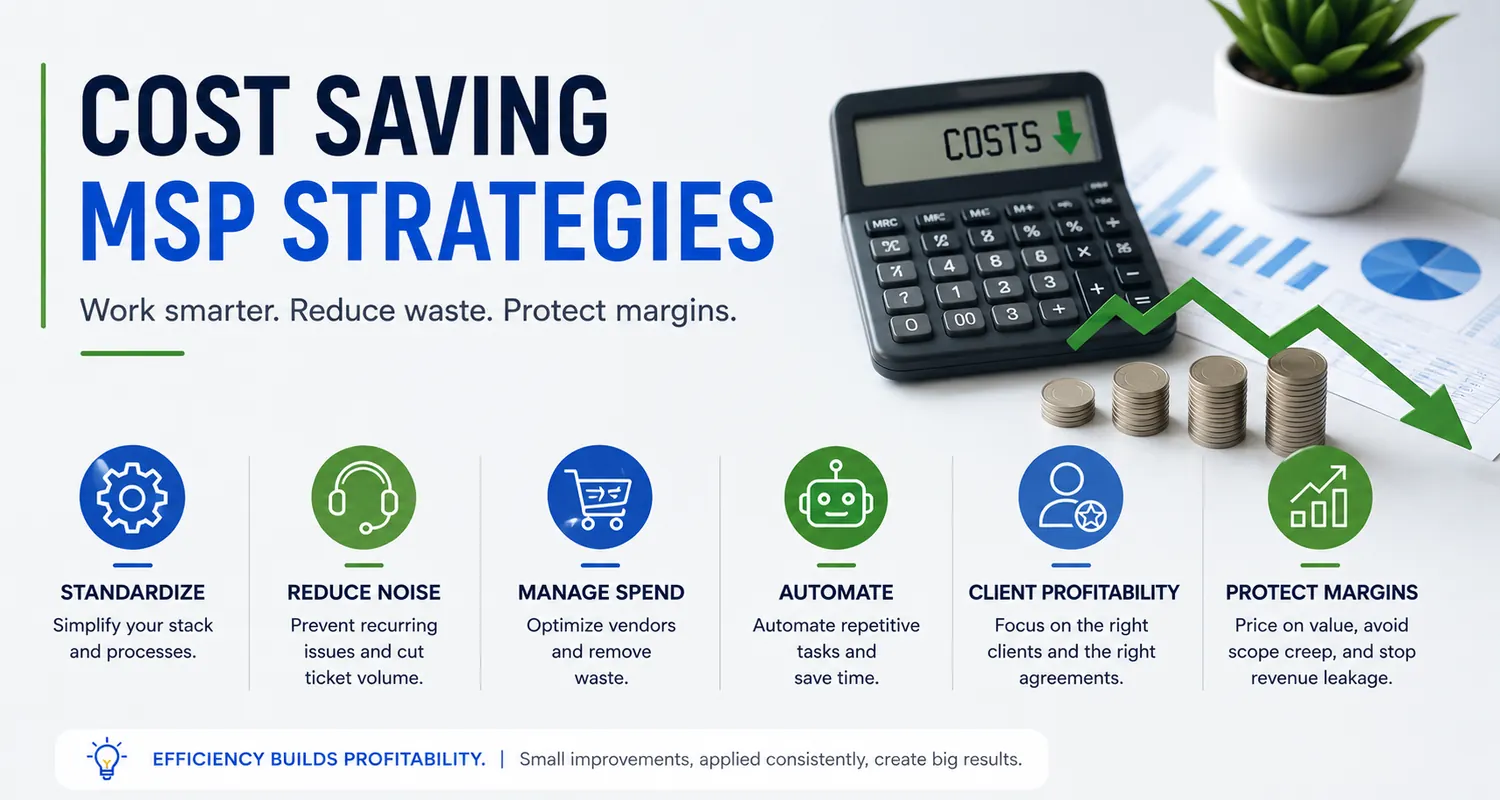
Running a Managed Service Provider is often a balancing act between delivering excellent technical outcomes and maintaining healthy margins. The most effective cost saving MSP strategies help MSPs control the cost-of-service delivery without compromising the quality-of-service clients receive.
Revenue can be growing while profitability barely moves. More clients bring more users, tickets, licenses, vendors, administration, and employees. Consequently, adding revenue doesn’t automatically create a better business.
Real efficiency isn’t about cutting corners or finding the cheapest technology. Instead, it focuses on reducing unnecessary complexity, eliminating repetitive work, improving commercial controls, and making every hour your team spends more productive.
Done properly, cost reduction isn’t really about spending less. It’s about wasting less.
SecuVeo was founded by Luis Navarro following more than 15 years spent building and growing a successful Managed Service Provider. As co-founder of Totality Services, Luis helped take the business from an idea and a small team to a highly profitable MSP serving more than 150 clients before the company was acquired.
One of the lessons from that journey was that profitability doesn’t simply arrive with scale. It comes from deliberate decisions about clients, technology, people, pricing, and processes.
Key Takeaways
Standardization reduces complexity. Supporting fewer technologies can reduce training requirements, improve troubleshooting, and make automation easier.
Reduce recurring noise before adding people. A growing ticket queue doesn’t always mean you need another technician. First, understand what’s generating the work.
Protect your commercial margins. Vendor costs, unbilled licenses, outdated agreements, and poorly scoped projects can quietly erode profitability.
Automate repetitive work. Use your PSA, RMM, documentation, reporting, and other platforms to reduce low-value manual administration.
Understand client profitability. Revenue alone doesn’t tell you whether an account is commercially healthy.
Retain good employees. Efficiency isn’t about squeezing more work out of people. Better systems should make good technicians more productive and reduce unnecessary frustration.
Defining Cost Saving MSP Strategies
In an MSP, cost saving is primarily about improving the efficiency of service delivery.
That can mean reducing the time required to resolve tickets, automating repetitive tasks, negotiating better vendor terms, preventing billing leakage, or standardizing client environments.
However, not every cost should be reduced.
Cutting training, cybersecurity, documentation, or service quality simply to improve short-term margins can create much larger costs later.
Therefore, the better question isn’t:
“Where can we spend less?”
It’s:
“Where are we spending money or time without creating enough value?”
That distinction matters.
Where MSP Costs Typically Hide
Some costs are obvious. Payroll, software, rent, insurance, and vendor invoices appear directly in the accounts.
Others are much harder to see.
For example:
- Technicians repeatedly solving the same problem
- Senior engineers handling work that could be standardized
- Supporting unnecessary variations in client technology
- Licenses purchased but never billed
- Projects consistently exceeding their quoted hours
- Account Managers manually producing reports
- Employees searching for missing documentation
- Clients remaining on commercially outdated agreements
- Duplicate tools performing similar functions
- Unnecessary administrative work between systems
Individually, these inefficiencies may appear small.
Across dozens or hundreds of clients, however, they can become significant.
Standardization: The Foundation of MSP Profitability
One of the biggest hidden costs in an MSP is unnecessary technical complexity.
Imagine supporting ten firewall vendors, several backup platforms, different endpoint-security products, multiple networking standards, and a mixture of old and new Microsoft environments.
Technicians constantly have to change context.
Documentation becomes harder. Training requirements increase. Troubleshooting takes longer, and automation becomes more difficult.
Standardization can change that.
By defining a preferred technology stack, your team develops deeper knowledge around a smaller number of platforms. As a result, common problems become easier to diagnose, processes become easier to document, and automation becomes more practical.
Build a Preferred Technology Stack
Standardization might cover areas such as:
- Infrastructure: Preferred networking, server, and endpoint standards.
- Security: Defined technologies for endpoint protection, EDR, identity, email security, backup, encryption, and other controls.
- Cloud: A primary cloud productivity ecosystem such as Microsoft 365.
- Management: Standard PSA, RMM, documentation, and remote-support tools.
- Client requirements: Minimum technical and security standards for managed clients.
Microsoft provides extensive technical guidance through Microsoft Learn, which can also help MSP teams develop repeatable standards around Microsoft technologies.
Of course, standardization doesn’t mean refusing every exception.
Some clients have legitimate requirements that justify different technology. However, exceptions should be conscious commercial decisions rather than something that happens by default.
Reduce Reactive Noise Before Hiring More People
When a help desk becomes busy, the instinctive response is often to hire another technician.
Sometimes that’s exactly what’s required.
However, first ask why the ticket volume is increasing.
If a significant amount of work comes from recurring problems, another employee may simply increase your capacity to repeatedly fix issues that should have been eliminated.
Root Cause Analysis can help identify those patterns.
Suppose a client contacts the service desk every Monday because the same printer stops working. Restarting a service each week may close the ticket quickly, but it doesn’t remove the underlying problem.
Replacing the problematic device or fixing its configuration may cost more today but save considerably more support time later.
Practical Ways to Reduce Ticket Noise
Categorize tickets consistently. Identify which issues create the greatest volume across your client base.
Look for repeat incidents. If the same problem keeps returning, investigate the underlying cause rather than repeatedly treating the symptom.
Automate predictable remediation. Where appropriate, use your RMM or other management tools to detect and remediate known conditions.
Improve client environments. Old hardware, unstable connectivity, unsupported software, and poor configuration can all generate unnecessary service demand.
Provide appropriate self-service. Straightforward requests can sometimes be handled through controlled automated workflows rather than technician intervention.
Importantly, the goal isn’t simply fewer tickets.
It’s fewer unnecessary tickets.
Vendor Management and Procurement
As an MSP grows, purchasing power changes.
Yet vendor arrangements often remain untouched for years.
Therefore, periodically review your major suppliers and ask:
- Are we still on the appropriate pricing tier?
- Are there volume discounts available?
- Are we paying for licenses we don’t use?
- Do several products duplicate functionality?
- Have vendor prices increased without corresponding client price changes?
- Are contract terms still commercially appropriate?
- Could consolidation reduce administrative overhead?
Vendor consolidation can sometimes create efficiencies, but cheaper isn’t automatically better.
Replacing several strong products with one inferior platform simply to reduce licensing cost can damage service quality and increase support requirements.
Instead, evaluate the total operational cost.
A product that costs slightly more but generates fewer support issues, integrates properly with your systems, and requires less administration may ultimately be the less expensive option.
Use Partner Benefits Where Appropriate
Many technology vendors provide internal-use, demonstration, training, or Not-For-Resale benefits to qualifying partners.
Where those programs exist, use them appropriately.
Besides reducing some internal technology costs, using the same products internally can give your team valuable practical experience with the platforms they support for clients.
Strategic Outsourcing vs. Internal Hiring
Hiring is one of the largest investments an MSP makes.
Therefore, the decision shouldn’t simply be based on whether the help desk feels busy.
First, understand the work.
Is demand permanent or temporary? Is the work occurring during normal hours or overnight? Does it require senior technical expertise? Could automation remove part of it? Could processes be improved first?
In some situations, outsourcing can make commercial sense.
For example, an external NOC or service partner may provide overnight monitoring or defined support functions without requiring the MSP to build an entire 24/7 internal team.
However, outsourcing purely because the hourly cost looks cheaper can be a mistake.
Consider service quality, communication, security, client experience, management overhead, contractual obligations, and how closely the provider fits your operating model.
Ultimately, outsourcing should solve an operational problem, not simply move it somewhere else.
Security as an Efficiency Issue
Cybersecurity is normally discussed in terms of risk, and rightly so.
However, security also has an operational dimension for an MSP.
Poorly secured and poorly maintained client environments can create significant amounts of reactive work.
An incident may require investigation, remediation, restoration, client communication, documentation, and considerable engineering time.
Therefore, preventative security can support both risk reduction and operational efficiency.
Organizations such as the Cybersecurity and Infrastructure Security Agency (CISA) publish practical cybersecurity guidance that MSPs and their clients can use when considering appropriate security controls.
The key is to make security systematic rather than reactive.
The Commercial Reality of Security Reviews
Security Reviews are a good example of a process that can become unnecessarily expensive when handled manually.
An Account Manager or vCIO may gather information from several systems, compare previous reviews, inspect Microsoft 365 settings, check products against PSA billing data, write recommendations, prepare a report, and then manually track what the client decided.
Multiply that process across dozens of clients and the time adds up quickly.
However, eliminating the review isn’t the answer.
The review itself can be extremely valuable.
Instead, the cost saving MSP strategy is to standardize and automate as much of the repetitive work as possible while preserving the human judgment that makes the review useful.
That’s one of the reasons SecuVeo was created.
It brings Security Reviews into a structured workflow, helping MSPs use PSA and Microsoft 365 information, generate consistent reports, track recommendations, and maintain a record of client decisions.
The objective isn’t to remove the Account Manager or vCIO.
It’s to give them more time for the part that matters: talking to the client.
Make Recommendations Easier to Understand
Efficiency also applies to communication.
A recommendation that requires several meetings and repeated explanations before the client understands it consumes time for both parties.
Instead, explain technical issues in terms of business risk.
Rather than simply stating that a security control is missing, explain:
What is missing?
Why does it matter?
What do you recommend?
What does it cost?
What decision is required?
Clear communication doesn’t guarantee approval. However, it makes it easier for the client to make an informed decision.
Client Profitability and the “Efficiency Tax”
Not all revenue is equally valuable.
A client paying $2,000 per month but consistently consuming more than that in service-delivery costs clearly isn’t contributing the same value as a standardized client generating the same revenue with significantly lower support requirements.
Therefore, MSPs should periodically examine profitability at the client level.
One useful measure is Effective Hourly Rate (EHR).
At its simplest, compare the recurring service revenue associated with an account against the engineering time required to deliver that service. Depending on your model, you may also need to account for licensing, third-party services, and other direct costs.
The objective isn’t to obsess over every individual support ticket.
Instead, look for patterns.
| Client Type | Characteristics | Possible Action |
|---|---|---|
| Healthy | Standardized environment, manageable service demand, commercially appropriate agreement | Retain, develop, and continue monitoring |
| Low Margin / Noisy | High ticket volume, legacy technology, frequent exceptions | Identify causes, modernize environment, review scope or pricing |
| Commercially Unsustainable | Persistent losses, excessive demands, refusal to address serious underlying issues | Renegotiate the relationship or consider whether the client remains a suitable fit |
Importantly, don’t assume a noisy client is automatically a bad client.
The cause may be something you can fix.
Perhaps their infrastructure needs investment. Maybe the agreement was priced incorrectly. Alternatively, an internal process may be generating unnecessary work.
Understand the cause before deciding what to do.
Automate Documentation and Reporting
Good documentation saves technician time.
When information is easy to find, engineers spend less time searching for credentials, configurations, network information, vendor details, and previous resolutions.
Therefore, documentation should be treated as operational infrastructure rather than optional administration.
The same applies to reporting.
If highly paid employees spend hours every month copying information between systems and manually building client presentations, ask whether that process can be automated.
PSA integrations, RMM data, documentation platforms, Microsoft 365 integrations, and specialized reporting tools can all reduce repetitive work.
However, automation should have a clear purpose.
Automating a poor process simply allows you to perform the wrong process faster.
Employee Retention Is a Cost Saving Strategy
Replacing experienced employees is expensive.
There are recruitment costs, management time, onboarding, training, lost productivity, and the loss of knowledge accumulated during the employee’s time with the business.
Therefore, employee retention should be part of any serious discussion about operational efficiency.
That doesn’t mean keeping every employee indefinitely.
Instead, create an environment where good people can succeed.
Provide clear career progression. Invest in relevant training. Document processes properly. Give people the tools required to do their jobs, and reduce unnecessary repetitive work wherever possible.
Most importantly, don’t build a culture that celebrates avoidable heroics.
If someone repeatedly has to work late because a broken process keeps creating emergencies, fixing the process is more valuable than praising the emergency response.
Improve Project Scoping and Execution
Recurring services aren’t the only place MSPs lose margin.
Projects can look profitable when quoted and become significantly less attractive during delivery.
Scope creep is a common cause.
For example, a project estimated at 20 engineering hours that eventually requires 35 or 40 hours may generate revenue while producing disappointing profit.
Better scoping helps.
Use standardized project templates for work you perform regularly. Record assumptions. Define exclusions. Identify client responsibilities, and use lessons from completed projects to improve future estimates.
Furthermore, don’t automatically allocate your most expensive technical resource to every stage.
A well-designed process may allow junior or mid-level employees to perform defined implementation tasks while senior engineers handle architecture, escalation, and final validation.
Stop Revenue Leakage
One of the least glamorous cost saving MSP strategies may also be one of the easiest to justify commercially:
Make sure you’re billing for what you’re already providing.
One of the most practical cost saving MSP strategies is making sure you’re billing accurately for the products and services you’re already providing.
Revenue leakage can happen when:
- Users are added but agreement quantities aren’t updated
- SaaS licenses are purchased but not billed
- Vendor price increases aren’t reflected in client pricing
- Projects include unquoted additional work
- One-off services are delivered but never invoiced
- Client agreements don’t reflect the current environment
A few missing dollars on one account may not matter.
Repeated across many products and clients, however, leakage can become substantial.
Practical Ways to Reduce Billing Leakage
Reconcile regularly. Compare vendor quantities, PSA agreements, and actual client usage.
Automate where appropriate. Integrations can reduce manual reconciliation between vendor platforms and PSA billing.
Review new products. When your MSP adds products to its catalog, make sure billing processes are updated accordingly.
Capture engineering time. Even on fixed-price managed agreements, accurate time recording helps you understand the true cost of servicing each account.
Review agreements periodically. Client environments and service requirements change. Agreements should reflect that reality.
Cost control isn’t only about reducing expenditure.
Sometimes the biggest improvement comes from capturing revenue you’ve already earned.
Measure What Matters
Effective cost saving MSP strategies depend on understanding where the money goes and which parts of the business are creating unnecessary cost.
Therefore, build a small group of commercial and operational metrics that tell you how efficiently the company is running.
Depending on your business model, these might include:
- Monthly Recurring Revenue
- Gross margin
- EBITDA
- Client-level profitability
- Effective Hourly Rate
- Revenue per employee
- Ticket volume per client
- Reactive engineering hours
- Client retention
- Vendor costs
- Project profitability
- Billing leakage
- Sales pipeline
No single metric tells the whole story.
For example, a client may have an excellent EHR but poor strategic fit. Another may currently generate high support demand because you’re halfway through a modernization project that should dramatically improve the account later.
Use metrics to inform judgment, not replace it.
Cost Saving MSP Strategies That Can Backfire
Not every saving is a good saving.
Some decisions improve this month’s numbers while weakening the business.
Choosing Technology Only on Price
The cheapest product isn’t necessarily the cheapest product to support.
If it generates more tickets, requires more administration, integrates poorly, or creates security concerns, the operational cost may outweigh the licensing saving.
Cutting Training
Training has a cost.
However, poorly trained employees can take longer to resolve problems, make avoidable mistakes, and escalate work unnecessarily.
Therefore, relevant training can improve efficiency rather than reduce it.
Running Too Lean
High utilization can look excellent on a spreadsheet.
But if the company has no spare capacity, sickness, holidays, a major incident, or a new client onboarding can create immediate problems.
Efficiency needs resilience.
Ignoring Client Experience
A cost-saving initiative that makes the service noticeably worse may eventually affect retention.
That’s particularly dangerous in a recurring-revenue business.
Before removing something, ask whether the client values it and whether there is a more efficient way to deliver the same outcome.
Frequently Asked Questions
What Are the Most Effective Cost Saving MSP Strategies for Small Firms?
For smaller MSPs, standardization can create particularly strong benefits because small teams have limited capacity to maintain expertise across a huge range of technologies.
Start with your technology stack, recurring ticket patterns, vendor costs, documentation, billing reconciliation, and client profitability.
Then prioritize the areas creating the most unnecessary work.
How Do I Improve MSP Profit Margins Without Raising Prices?
Reduce the cost-of-service delivery.
For example, eliminate recurring technical problems, automate repetitive work, improve documentation, standardize client environments, reduce unnecessary tools, and make sure you’re billing for everything you provide.
However, don’t rule out pricing changes altogether.
If an agreement genuinely doesn’t cover the cost of delivering the promised service, operational efficiency alone may not solve the problem.
Can Cybersecurity Be a Cost Saving Measure for an MSP?
Preventative cybersecurity can reduce the likelihood or impact of incidents that create substantial reactive work.
However, security controls shouldn’t be selected purely because they save money.
Their primary purpose is risk reduction.
From an MSP operational perspective, though, secure and well-maintained client environments can also be more predictable and easier to support.
What Is a Good Target for MSP Profitability?
There isn’t one universal profitability target that applies to every MSP.
Business model, geography, service mix, maturity, growth rate, ownership structure, and accounting treatment can all affect reported margins.
Instead of chasing a generic benchmark, understand your own economics and compare performance consistently over time.
Industry benchmarking can still be useful, but it should provide context rather than become an arbitrary target.
Should I Outsource My Help Desk to Save Money?
Possibly, but cost shouldn’t be the only consideration.
Outsourcing can work well for clearly defined functions, specialist expertise, overflow capacity, or extended-hours coverage.
However, consider quality, communication, security, management overhead, contractual requirements, and the client experience before making the decision.
What Common Mistakes Lead to Low MSP Profit Margins?
Common causes include:
- Supporting too many non-standard environments.
- Failing to address recurring technical problems.
- Poor project scoping.
- Uncontrolled vendor costs.
- Billing leakage.
- Outdated client agreements.
- Excessive founder or senior-engineer involvement in routine work.
- Manual processes that could reasonably be automated.
- Retaining commercially unsustainable clients without a plan to improve them.
Usually, poor profitability isn’t caused by one dramatic problem.
It’s the accumulation of many small inefficiencies.
Building a More Efficient MSP
The best cost saving MSP strategies aren’t really about becoming cheaper.
They’re about building an MSP that can deliver more value with less unnecessary effort.
Standardize where practical. Reduce recurring noise. Understand client profitability. Review vendor costs. Improve project scoping. Automate repetitive administration. Protect your team from avoidable work, and make sure the services and products you’re providing actually reach the client’s invoice.
Most importantly, don’t confuse efficiency with cost cutting.
An efficient MSP can still invest heavily in good people, strong technology, cybersecurity, client experience, and growth. The difference is that those investments are deliberate.
That was one of the lessons learned while building Totality Services over more than 15 years.
As the company grew, operational and commercial discipline became increasingly important. Revenue mattered, but so did understanding how efficiently that revenue could be delivered.
SecuVeo applies that thinking specifically to Security Reviews. Rather than relying on fragmented spreadsheets, manual evidence gathering, and inconsistent processes, it gives MSPs a repeatable way to conduct reviews, communicate recommendations, and track client decisions.
Ultimately, profitability isn’t created by one dramatic cost-saving exercise.
It’s created by hundreds of small operational decisions made well, over and over again.