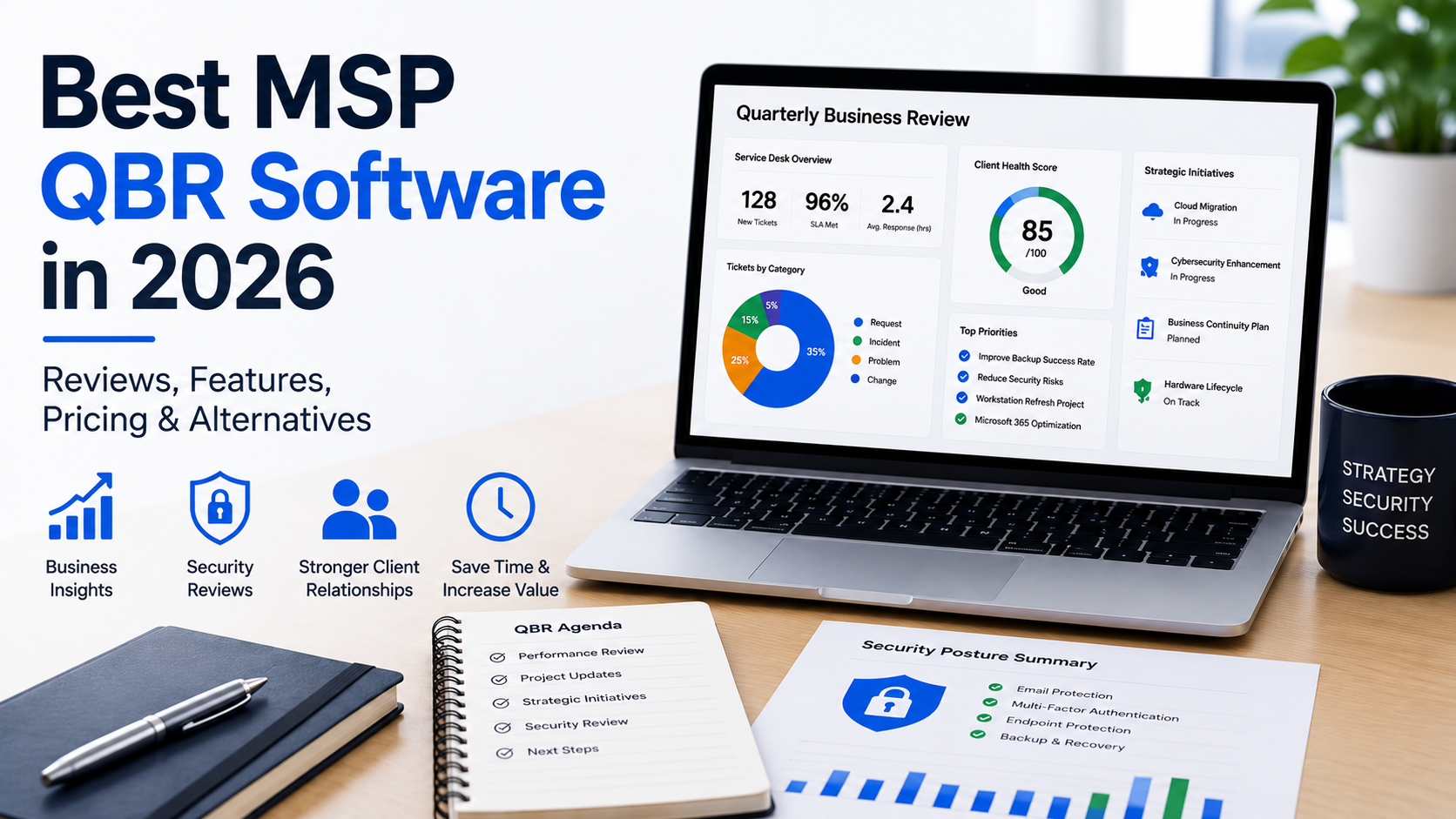
The best MSP QBR software helps your team spend less time assembling reports and more time helping clients make decisions. However, the right choice depends on whether you need technology roadmaps, budgets, asset lifecycle planning, a client portal, or a more focused review process.
A polished presentation is useful. However, the real value comes when a client leaves the meeting knowing what needs attention, why it matters, and what to approve.
This guide compares established MSP QBR platforms, explains their published pricing, and gives you practical questions to use in a demo. It also covers dedicated Security Review software as an option for MSPs whose main reporting challenge is cybersecurity.
A perspective from building and growing an MSP
I’m Luis Navarro, founder of SecuVeo and former co-founder of Totality Services in London. I helped grow Totality to more than £6 million in annual revenue before its acquisition in 2025.
That experience shapes how I look at client reviews. In practice, preparation needs to be manageable, recommendations need to make sense to business leaders, and the meeting needs to lead to clear next steps.
About this comparison: This article is published by SecuVeo, a dedicated Security Review platform. Product information and prices were checked against the vendors’ official websites on October 8, 2026. The suggested use cases are editorial judgments based on those published capabilities, not a claim that we have personally tested every product.
What is MSP QBR software?
MSP QBR software helps managed service providers prepare, deliver, and follow up on Quarterly Business Reviews. Depending on the platform, it brings together client information, assessments, asset data, business priorities, budgets, and recommendations.
A useful QBR connects technology to the client’s business. For example, it may cover service performance, upcoming projects, hardware replacement, security priorities, and planned investment.
Therefore, the software should help account managers and vCIOs answer three questions:
- What has changed since the last review?
- What should the client prioritize next?
- Who will take action, and by when?
Integrations can reduce data collection, but your team still needs to check accuracy and explain what the information means.
Best MSP QBR software: a quick comparison
To begin with, the following shortlist covers different approaches to client reviews. It is not a ranked league table or an exhaustive list of every product.
| Platform | Consider it when your main priority is | Published pricing snapshot |
|---|---|---|
| ScalePad Lifecycle Manager | Connecting asset lifecycle information with client planning, assessments, budgets, and meetings | Pro starts at $250/month for up to 25 clients; X starts at $250/month for up to 10 clients. A one-client Free plan is also listed. |
| vCIOToolbox QBR | A structured vCIO process with assessments, recommendations, roadmaps, and budgets | Starts at $129/month, with five active clients in the initial bundle. |
| Propel Your MSP | PSA-connected asset planning, audits, budgets, and a repeatable vCIO workflow | $99/month for up to five activated companies; $349/month for up to 50. |
| CloudRadial UCP Professional | A broader client portal with QBR reporting and account planning | Starts at $295/month, with $295 setup. Pricing scales with usage. |
Prices are snapshots, not quotes. Therefore, confirm currency, taxes, client or user definitions, implementation fees, and the features included in your chosen plan. In addition, the pricing models measure different things, so starting prices are not directly equivalent.
ScalePad Lifecycle Manager and Lifecycle Insights
ScalePad’s current Lifecycle Manager offering brings asset management, assessments, roadmaps, budgets, deliverables, and meetings into a broader client planning workflow. However, its X plan includes more of the strategic planning and client presentation capabilities than Pro.
For MSPs researching Lifecycle Insights, there is an important distinction: ScalePad says existing partners can continue using Lifecycle Insights, with no planned end-of-life date. Meanwhile, new customer success development is focused on Lifecycle Manager.
Why consider it: Your team wants asset information and future investment planning connected to strategic client reviews.
What to check: Which plan includes the assessments, budgets, deliverables, and meetings you need. Published paid plans have a 12-month term; confirm how your client count affects the quote.
Sources: Lifecycle Manager pricing and Lifecycle Insights transition information.
vCIOToolbox QBR
vCIOToolbox QBR combines client strategy, assessment templates, a recommendations engine, technology roadmaps, budget tools, branded reporting, and a client portal.
The vendor also offers Cybrance GRC separately, with governance, risk, compliance, and evidence capabilities. Therefore, check the separate modules if your requirements go beyond general business reviews into a wider advisory or vCISO service.
Why consider it: You want a defined vCIO process connecting findings to business goals and planned projects.
What to check: The cost at your expected active-client count, the modules required, and whether you need optional implementation coaching. The published $129/month starting price is for QBR, not every GRC feature.
Sources: vCIOToolbox QBR overview and pricing.
Propel Your MSP
Propel Your MSP focuses on IT planning through asset information, audits, budgets, roadmaps, and a scheduled vCIO process. In addition, it supports creating service tickets and sales opportunities in a connected PSA, alongside editable reports and embedded presentations.
Its pricing is based on activated “Propelled Companies,” rather than every company imported from the PSA. In addition, all plans list the same feature set and unlimited users.
Why consider it: You want asset planning and review follow-up closely connected to your PSA.
What to check: Propel currently requires ConnectWise PSA, Autotask PSA, or HaloPSA. Confirm the workflow with your own data and how activated companies count toward your plan.
Published pricing is month to month, with no setup fee or long-term commitment. In addition, a 30-day trial is listed.
Sources: Propel Your MSP features and pricing.
CloudRadial
CloudRadial combines a client portal with reporting and account planning. For example, its QBR offering includes Microsoft reporting, policy reporting, client scoring, a sales matrix, and a vCIO planner.
For a QBR comparison, look at UCP Professional, which explicitly lists on-demand QBRs, assessments, and the vCIO Account Planner. By contrast, the cheaper UCP Starter plan is not an equivalent QBR package.
Why consider it: You want business reviews connected to a broader client portal used between meetings.
What to check: Portal adoption, the required tier, usage calculations, and implementation costs. UCP Professional starts at $295/month plus $295 setup, on an annual commitment. The vendor uses the larger of synced users or asset management agents for billing.
Sources: CloudRadial QBR features and Unified Client Portal pricing.
What should good MSP QBR software include?
Choose features around the review you want to deliver. After all, a longer feature list does not automatically produce a better client conversation.
Relevant integrations and dependable data
Check the exact data the platform retrieves from your PSA, RMM, documentation, or Microsoft 365 systems. However, an integration logo does not tell you whether it imports the fields your team needs.
Also ask about refresh frequency, duplicate records, permissions, missing data, and what happens when a connection fails.
Roadmaps, recommendations, and budgets
Your MSP QBR software should make it easy to connect a finding to a proposed action. Specifically, look for a way to show priority, cost, timing, ownership, and the relevant business objective for each recommendation.
For example, a hardware lifecycle warning becomes more useful when it leads to a replacement plan the client can budget for.
Reports clients can understand
Review the output as a business owner would. Can someone understand the priorities without decoding technical terminology? Can your team edit the narrative and remove irrelevant detail?
In other words, a useful report explains why a recommendation matters, rather than simply displaying a score or inventory.
Consistent preparation and follow-up
First, templates should help account managers deliver a consistent standard while allowing recommendations to reflect each client.
Also test what happens after the meeting. Otherwise, a recommendation may stay in the presentation without leading to action.
Security and access controls
Assess tenant separation, user roles, authentication, integration permissions, data retention, export options, and the vendor’s security documentation.
In addition, use the permissions required for your workflow and verify how access can be revoked. Treat these as buying criteria, not assumptions about any product.
Understanding MSP QBR software pricing
The subscription is only one part of the investment. Therefore, compare the cost of delivering your review process across the number of clients you intend to serve.
Ask each vendor for a quote covering:
- Your current client, user, or asset count.
- The modules needed for your actual review workflow.
- Setup, implementation, training, and optional coaching.
- Contract length, renewal terms, and future usage changes.
- Export and migration options if you leave.
Then measure internal time. How long does initial configuration take? How much work remains before each meeting? Can a second account manager repeat the process?
For an illustrative comparison, a tool costing $100 less per month may be more expensive overall if it adds several hours of preparation. However, the result depends on your labor costs and actual usage.
How to test MSP QBR software before choosing
First, use one representative client across your shortlisted platforms. After all, a vendor demo with clean sample data may not reveal how your team will work with incomplete records or an unusual environment.
Then run this practical test:
- Connect or import the permitted client data.
- Check for missing, stale, or duplicate information.
- Prepare a review using your usual meeting structure.
- Add a recommendation, budget, owner, and next action.
- Present or export the report.
- Record a client decision and follow it through to work or a proposal.
- Ask another account manager to repeat the process.
Finally, record setup time and recurring preparation time separately. Also note what still requires spreadsheets, presentation editing, or manual transfer into your PSA.
The best MSP QBR software for your business is the one your team can use consistently to deliver the conversations your clients need.
QBR software vs. dedicated IT Security Review platforms
Security can sit within a QBR, and some QBR platforms offer substantial assessment, security, or GRC capabilities. Therefore, focus on whether the workflow supports the depth and frequency of discussion you need.
For example, a dedicated Security Review process may help when cybersecurity recommendations get squeezed between service statistics, hardware budgets, and other topics.
| Requirement | What to evaluate in a QBR platform | SecuVeo’s focus |
|---|---|---|
| Business strategy and technology budgets | Roadmaps, goals, investment planning, and meeting tools | Security findings and recommended improvements |
| Service and asset reporting | The relevant integrations, dashboards, and lifecycle information | PSA Billing Evidence and supported Microsoft 365 Security Evidence |
| Cybersecurity discussions | Assessment depth, evidence sources, and any required modules | Dedicated client Security Reviews |
| Client communication | Presentation, portal, export, and narrative options | Branded PDF reports with plain-English executive summaries |
| Review history and follow-up | Decisions, actions, change tracking, and PSA workflow | Review comparisons and creation of tickets and opportunities in supported PSAs |
| Delivery and acknowledgment records | Verify the exact tracking and acknowledgment workflow | Email delivery tracking, disclaimer acknowledgments, and downloadable compliance records |
These are different scopes, not a claim that every QBR platform lacks a particular feature. Evaluate the named product and plan against your requirements.
You can discuss security in the QBR, hold a separate meeting, or use a dedicated report as part of the same conversation. Ultimately, the client’s needs should determine the format.
The hidden cost of manual Security Reviews
When security information sits across multiple tools, preparing a review can involve collecting evidence, rewriting recommendations, checking previous findings, and assembling a report.
That work can become harder to repeat across the client base. It also creates a recordkeeping challenge if the team cannot easily retrieve the version sent or the evidence behind a recommendation.
Therefore, map your current process before buying another tool. Identify which steps consume time, which create uncertainty, and which your existing QBR platform already handles well.
As a result, you can establish whether you need better configuration, a stronger process, or dedicated software.
Where SecuVeo fits
SecuVeo is a dedicated IT Security Review platform that helps MSPs deliver clear, professional reviews and turn security recommendations into revenue opportunities.
It brings together customizable templates, PSA Billing Evidence, and Microsoft 365 Security Evidence to reduce manual preparation. Your team reviews the findings and recommendations, then creates a branded report with an AI-generated executive summary that explains security risks in plain English.
Clients receive an email link and acknowledge your disclaimer before viewing their report. Delivery tracking, acknowledgment records, and downloadable compliance records help your MSP keep a clear record of what was shared and when.
SecuVeo works alongside MSP QBR software, giving security the focused attention it deserves. Use it for dedicated security conversations or bring the report into your existing QBR process to explain priorities, agree on next steps, and demonstrate progress over time.
SecuVeo pricing
Monthly billing prices are $149 for up to 50 clients, $249 for up to 150, and $399 for up to 300. Paid plans include unlimited reports and internal users, with a 12-month subscription term.
In addition, a 30-day trial includes full platform access and the ability to create and send up to two client reports, without a credit card.
See SecuVeo’s current plans for full details.
Choosing the right platform for your MSP
Start with the workflow causing the most friction.
- For asset lifecycle and strategic planning: Evaluate ScalePad Lifecycle Manager and Propel Your MSP.
- For a structured vCIO and assessment process: Evaluate vCIOToolbox QBR and the modules your advisory service needs.
- For a client portal with ongoing reporting: Evaluate CloudRadial’s appropriate UCP tier.
- For dedicated client Security Reviews: Evaluate SecuVeo, including how it fits alongside your existing QBR process.
These are starting points for a shortlist. However, there is overlap between products, and your integrations, reporting needs, and delivery model may change the choice.
Try SecuVeo free if your next priority is a repeatable client Security Review process.
Frequently asked questions about MSP QBR software
What is the best MSP QBR software?
There is no universal winner. Instead, compare platforms against your priorities: asset lifecycle planning, vCIO workflows, budgets, client portals, assessments, and follow-up. Then test the relevant plan with your own client data.
How much does MSP QBR software cost?
Published starting prices in this guide range from $99/month for Propel Your MSP’s five-company plan to $295/month for CloudRadial UCP Professional. Other products use different minimums and usage models, so request a quote for your actual requirements.
Is Lifecycle Insights still available for existing users?
ScalePad says existing Lifecycle Insights partners can continue using the product, with no planned end-of-life date. Meanwhile, its new customer success development is focused on Lifecycle Manager. Confirm transition options with ScalePad.
Is Security Review software the same as QBR software?
There is overlap, but the main workflows differ. For example, QBR software typically supports wider business and technology planning. Dedicated Security Review software focuses on communicating security findings, recommendations, and changes over time.
Should Security Reviews be separate from QBRs?
They can be. A separate conversation may be useful when security needs more attention than the QBR agenda allows. Alternatively, a dedicated security report can support the same meeting.
Can MSP QBR software replace PowerPoint?
Some platforms provide a presentation view or generate client deliverables; others support editable documents or embedded slides. Therefore, test the output you intend to use, rather than assuming every platform replaces your presentation workflow.
Does a security report prove compliance?
No. Evidence, framework references, and review records can support a wider assessment, but a report alone does not establish compliance or certification.